What Is UPI DRC? Meaning, Full Form & Transaction Credit Explained
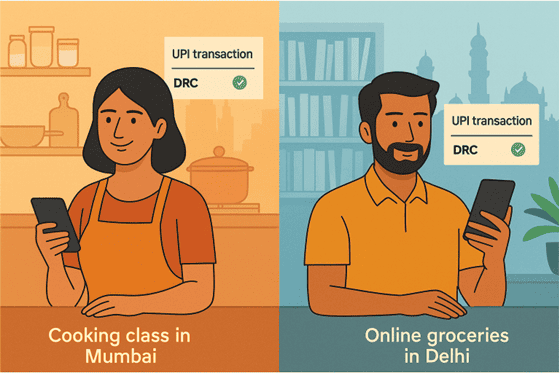
Rani and Sameer both used UPI for payments last week. She booked a cooking class in Mumbai, and he paid for online groceries in Delhi. Both transactions showed a “DRC” credit on their bank statements the next day.
Sound confusing? It’s more common than you’d think.
Most of us understand UPI the same way. Money leaves your account, reaches the other side in seconds, and life moves on. But sometimes the payment gets stuck, the merchant does not confirm it, or the status stays unclear. That is when this little tag called “DRC” shows up.
Let's break down what UPI DRC means, why it appears, and how this form of transaction credit works.
It is a simple concept once you understand what is happening in the background, and knowing it can save you a lot of confusion the next time you check your statement.
What Does UPI DRC Mean?
The UPI DRC full form is Unified Payments Interface Dispute Resolution Credit. Here is what each part means in everyday banking -
- Unified Payments Interface - It is the payment system that lets you send money directly from your bank account through any UPI app.
- Dispute Resolution - This refers to the review that happens when a UPI payment fails, gets stuck, or shows an unclear status.
- Credit - This simply means the money is being added back to your account after the issue is sorted out.
You will usually see the term UPI DRC on your bank statement when a UPI payment is debited from your account but does not reach the recipient.
When a transaction gets stuck, shows an unclear status, or fails midway, the system reviews it and starts a dispute-based credit process. The amount is then returned to you, and this credit entry appears as UPI DRC.
People often mistake it for a new type of charge or fee, but it is simply a refund triggered by a failed or unresolved UPI transaction.
What Is a UPI DRC Transaction & How Does It Work?
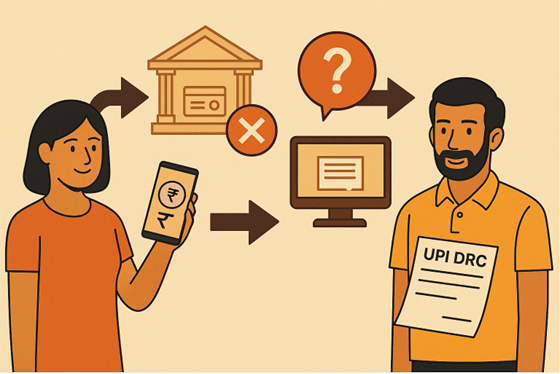
A UPI DRC transaction appears when a UPI payment is debited from your account, but the system cannot confirm that it reached the other side. Here is how it usually works -
- You make a UPI payment to a merchant or friend.
- The money leaves your account, but the transaction does not get a clear success update because of a network delay, server timeout, or an unknown status at the recipient’s bank.
- Since the system cannot confirm the final result, the dispute resolution process begins in the background.
- After the banks review the transaction, the amount is added back to your account. This credit entry shows up in your statement as UPI DRC.
For example, if you pay ₹2,000 for a bill and the merchant does not receive it, you may see the same amount returned later with a UPI DRC label.
Is UPI DRC Credit Safe and Legitimate?
UPI DRC is completely safe and is an official update from your bank or NPCI. Instead of keeping the money stuck, the bank reviews the transaction and credits the amount back to you through the dispute resolution process. This is why it shows up as UPI DRC in your statement.
You can double-check the refund by looking at your recent transactions in your banking app or on your monthly statement. The credited amount will be the same as the payment that didn’t go through, which makes it simple to confirm and keep an eye on your balance.
This is especially helpful if you are managing EMIs, loan payments, or regular bills. The best part? You can track these easily through the Hero FinCorp personal loan app, available on Android and iOS.
How to Track and Verify UPI DRC Credits in Your Account
If you see a UPI DRC transaction or a UPI DRC credit in your account, you can confirm it with a few easy checks. Here is a simple step-by-step guide -
Review your bank statement - Open your bank’s app or internet banking and look through your recent transactions. A line that says “UPI DRC” will appear close to the original payment that did not go through.
Check your mobile banking app - Refunds often show up here before they appear in UPI apps. Since most UPI apps focus on outgoing payments, you might not see the reversal right away.
Look for SMS or email alerts - Banks usually send a message whenever money is credited.
Match the amounts - Compare the credited amount with what you originally paid.
Give it Some Time - Reversals can take one to three working days. If it still does not appear, reach out to your bank’s support team for help.
Take Control of Your Finances
Once you know what UPI DRC means, how the credit is processed, and how to check it, it becomes much easier to read your statement with confidence. It also helps you avoid confusion when a payment hangs or shows an unclear status.
Small habits like checking your statements, matching amounts, and reading bank alerts can make everyday banking smoother and give you a clearer picture of your balance.
If you manage EMIs, monthly expenses, or plan to apply for a loan, keeping an eye on your transactions is always useful. Hero FinCorp supports this with simple loan options and easy-to-use tools that help you stay financially organised.
You can explore personal loans on Hero FinCorp to check your possible loan amount right away.
Frequently Asked Questions
1. Are UPI DRC credits automatically processed?
Yes. Banks and NPCI usually trigger the credit automatically when a transaction fails or remains unverified.
2. Can I see UPI DRC credits in my UPI mobile app?
Sometimes. UPI apps may not always display refund entries, so bank statements are more reliable.
3. How long does it take to get a UPI DRC refund?
Most refunds take one to three working days, though a few may take a little longer.
4. Who processes UPI DRC credits?
Your bank processes the credit based on instructions from NPCI. Merchants are not involved.
5. What should I do if UPI DRC credits are delayed or incorrect?
Contact your bank’s support team or raise a complaint through your UPI app if the refund does not appear in a few days.