What Is a Bank Account Number? Meaning, Structure & How to Check It Online
Vikram had just switched jobs and needed to update his salary account details with his new employer. He reached for his passbook and realised he hadn’t touched it in two years. The chequebook was somewhere in a drawer he hadn’t opened since the pandemic. He tried to recall the number from memory. Twelve digits? Fourteen? He wasn’t sure.
Sound familiar? In the age of UPI and tap-to-pay, most of us never need to quote our bank account number until the one moment we absolutely must. And in that moment, not knowing how to check your account number online can bring an otherwise simple task to a complete halt.
This guide walks you through everything: what a bank account number is, why it matters, exactly how to find it across every digital and offline channel, and how to keep it secure.
What Is a Bank Account Number?
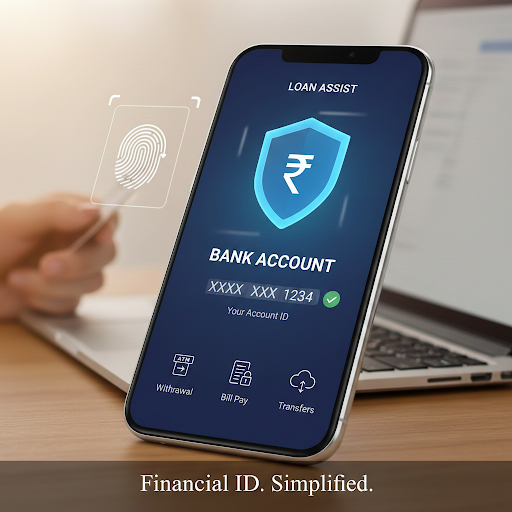
A bank account number is a unique numeric identifier assigned to your account when you open it with a bank or financial institution. It distinguishes your account from every other account held at that bank and in combination with the bank’s IFSC code, it identifies your account uniquely across the entire Indian banking system.
Every financial transaction you perform whether it is receiving a salary credit, paying an EMI, making an NEFT transfer, or setting up an auto-debit mandate is routed through this number. It is, in practical terms, your financial address within the banking system.
How Many Digits Is a Bank Account Number in India?
Bank account numbers in India are not standardised in length across all institutions. The number of digits varies by bank and account type, typically ranging between 9 and 18 digits. Here is a quick reference:
| Bank / Account Type | Typical Account Number Length |
| State Bank of India (SBI) | 11 digits |
| HDFC Bank | 14 digits |
| ICICI Bank | 12 digits |
| Axis Bank | 15 digits |
| Punjab National Bank (PNB) | 16 digits |
| Bank of Baroda | 14 digits |
| NBFCs (loan account numbers) | Varies typically 10–16 digits |
Note: These are indicative ranges. Your specific account number length depends on your bank and account type. Always verify against your official bank documents or digital banking platform.
Why Is Your Bank Account Number Important?
Your bank account number is the cornerstone of almost every financial interaction. Here is why knowing it and keeping it accurate matters:
- Receiving salary and transfers: Employers, clients, and anyone sending you money need your account number and IFSC code to initiate the transfer. An incorrect digit means the funds go elsewhere.
- Setting up loan EMI mandates: When you avail a personal loan or any EMI-based product, your account number is the reference against which auto-debit instructions are set up. Errors here cause EMI bounces, penalty charges, and potential credit score impact.
- Filing income tax returns: Your bank account number is mandatory for ITR filing for tax refund credits. The Income Tax Department credits refunds directly to the account number on record.
- Government scheme benefits: Direct Benefit Transfer (DBT) schemes from subsidies to scholarship payments are credited to registered bank account numbers. An outdated or incorrect account number means missed disbursements.
- KYC and identity verification: Banks and NBFCs use account numbers to verify your identity during loan applications, KYC updates, and account linking with UPI or Aadhaar.
How to Check Your Account Number Online: 5 Reliable Methods
If you need to know how to check your account number online, you have more options today than ever before. Here are the most reliable methods no branch visit required.
1. Net Banking / Internet Banking Portal
The most direct route. Log in to your bank’s official internet banking portal using your customer ID and password. Complete the OTP-based two-factor authentication if prompted. Navigate to Account Summary, Account Details, or My Accounts. Your full account number will be displayed on the dashboard or within the account details section. Most portals also allow you to download a mini-statement or full statement that includes your account number at the top.
2. Mobile Banking Application
Open your bank’s official mobile app and log in using your MPIN, fingerprint, or Face ID. Tap on the account tile or card displayed on the home screen. Select Account Details or View Account Information. Your account number either in full or partially masked for security will appear. Look for a ‘Show Full Number’ or ‘Unmask’ option if you need the complete number. This is the fastest way to know your account number without accessing a desktop.
3. UPI Application (Google Pay, PhonePe, Paytm)
Open your UPI app linked to your mobile number. Go to Settings or Profile, then select Bank Accounts or Payment Methods. Choose your linked bank account. Your account number will be displayed, though it may be partially masked. Navigate to Manage Bank Account or Account Details for the full view. This method works well if you have not set up internet banking but have a UPI-linked account.
4. SMS Banking Service
Using your registered mobile number, send an SMS keyword such as BAL, ACCT, or DETAILS to your bank’s official SMS number. The bank will respond with a message containing your account number, either fully or partially displayed. Check your bank’s official website for the exact keyword and number, as these vary by institution. This method works on basic handsets without internet access.
5. Missed Call Banking
Several Indian banks offer account information via a simple missed call to a designated toll-free number from your registered mobile. You receive an SMS in return confirming your account number and balance. This is particularly useful in areas with poor internet connectivity. Check your bank’s official website or welcome kit for the dedicated missed call number.
Security reminder: Always access internet banking and mobile apps only through your bank’s official website URL or the app downloaded from the official App Store or Google Play. Never click links in unsolicited SMS messages or emails that claim to show your account details.
How to Know Your Account Number Without Internet Access
If digital methods are not available, these offline sources will reliably provide your bank account number:
| Source | Where to Find It | Best Used When |
| Cheque Book | Printed on every cheque leaf and on the first summary page | Easily accessible; most reliable offline source |
| Passbook | On the cover page or summary section at the front | Account opened at a branch; passbook still active |
| Bank Statement | At the top of every monthly or quarterly statement | Statements received by email or post |
| Welcome Kit | Included in the letter accompanying your debit card | New account; welcome kit still intact |
| Branch Visit | Request from relationship manager with valid ID proof | No digital access; lost all documents |
| Customer Care Call | Verify identity via registered mobile; representative confirms | Quick confirmation; registered mobile available |
Bank Account Number vs Other Bank Identifiers: What’s the Difference?
Bank customers often confuse their account number with other identifiers. Here is a clear breakdown:
| Identifier | What It Is and When You Need It |
| Bank Account Number | Unique ID for your specific account. Required for NEFT, RTGS, IMPS transfers, salary credits, loan mandates, and ITR filing. |
| IFSC Code | 11-character alphanumeric code identifying a specific bank branch. Required alongside account number for all inter-bank fund transfers. |
| Customer ID / CIF Number | Your unique customer-level identifier across all accounts you hold with the bank. Used for internet banking login and KYC linkage. |
| UPI ID (VPA) | Your virtual payment address (e.g., name@bankname). Enables instant payments without sharing your account number. Linked to your account number in the background. |
| MICR Code | 9-digit code on the bottom of cheques. Used by the Reserve Bank of India for cheque clearing. Not required for digital transfers. |
| Loan Account Number (LAN) | Separate from your savings/current account number. Assigned by your lender specifically for tracking loan repayments and EMI schedules. |
How to Keep Your Bank Account Number Secure
Your bank account number alone cannot authorise a transaction, fund transfers additionally require the IFSC code, and most digital transactions also require OTP or MPIN authentication. However, sharing it carelessly still creates unnecessary risk. Here is how to protect it:
- Share your account number only with verified entities, your employer, a known individual, or a legitimate financial institution for a specific purpose.
- Never share your account number in response to unsolicited calls, SMS messages, or emails. Legitimate banks and NBFCs will not ask for this over an unsolicited communication.
- Always use secured internet connections. Public Wi-Fi at airports, cafes, or hotels is not safe for banking transactions; the network can be compromised.
- Verify that you are on the official bank website (check for ‘https’ and a padlock icon in the address bar) before logging in to view your account details.
- Enable two-factor authentication and biometric login on your mobile banking app.
- Do not take screenshots of your account details on shared or work devices.
- Monitor your account for unauthorised transactions via SMS alerts and email notifications. Report any discrepancy to your bank immediately.
Common Issues When Checking Your Account Number Online
Sometimes the process does not go smoothly. Here is how to handle the most common problems:
| Issue | Solution |
| Forgotten internet banking password | Use the Forgot Password option on the official portal. Reset via your registered mobile OTP and set a new password. |
| OTP not received | Check mobile signal. Restart the device. Ensure your registered mobile number is active. Clear old messages to free inbox space. Try again after 5 minutes. |
| Mobile number not registered with bank | Visit your home branch with Aadhaar and PAN. Submit a mobile number update request. Most banks process this within 2–3 working days. |
| Mobile banking app crash or error | Update the app to the latest version. Clear the app cache. Reinstall if the error persists. Use net banking as an alternative in the interim. |
| Account number partially masked in app | Look for a Show Full Number, Unmask, or View Details option within the account details screen. If unavailable, use internet banking or contact customer care. |
| Discrepancy in account number shown | Cross-verify with your original welcome kit, cheque book, or latest bank statement. If discrepancy persists, visit the branch with identity proof. |
Manage Your Finances With Confidence
Your bank account number is the foundation of your financial identity from the day you open the account to every EMI, transfer, and tax filing that follows. Knowing how to check it quickly and securely across multiple channels puts you in control, regardless of whether you have your passbook or not.
Once your account details are confirmed and in order, accessing credit is straightforward. Hero FinCorp offers personal loans up to Rs 5 Lakh with flexible repayment tenures of 12 to 36 months and interest rates starting at 18% p.a. Applicants with a CIBIL score of 725 or above and a minimum monthly salary of Rs 15,000 qualify for instant approval through a fully paperless digital process.
Frequently Asked Questions
What is a bank account number and how is it different from a customer ID?
A bank account number is a unique identifier for your specific account, used for fund transfers, salary credits, and EMI mandates. A customer ID (also called a CIF number) is your identifier as a customer of the bank one customer ID can be linked to multiple accounts. The account number is account-specific; the customer ID is person-specific.
How to check account number online without a passbook?
You can check your bank account number online through your bank’s internet banking portal, the official mobile banking app, or a linked UPI application. Log in using your credentials, navigate to Account Details or Account Summary, and your account number will be displayed. SMS banking and missed call services also provide this information without needing a passbook.
How do I know my account number from my mobile number?
You can use SMS banking to send a keyword such as ACCT or DETAILS from your registered mobile number to your bank’s official SMS number and receive your account details by return message. Alternatively, UPI apps linked to your mobile number display your account number under Bank Accounts or Payment Methods in settings.
Is it safe to share my bank account number?
Your account number alone is not sufficient to debit your account transactions that also require authentication such as an OTP or MPIN. However, sharing it carelessly can enable phishing attempts or fraudulent credit entries. Share it only with verified entities, employers, known individuals, or regulated financial institutions and only for a specific, confirmed purpose.
How many digits is a bank account number in India?
Bank account numbers in India range between 9 and 18 digits depending on the bank and account type. Most major banks use between 11 and 16 digits. There is no single standardised length across all institutions. Your specific account number length is confirmed in your welcome kit, passbook, or internet banking dashboard.
What should I do if I notice an incorrect account number in my records?
Cross-reference with your welcome kit, cheque book, and the official bank statement. If an error is found in a third-party record such as your employer’s payroll system or an NBFC’s loan application submit a correction request with the correct account number and supporting documentation. If the discrepancy is within the bank’s own records, visit your home branch with valid identity proof.
Can I use my UPI ID instead of my bank account number?
For UPI-based payments, yes. Your UPI ID (VPA) routes payments to your linked account without the other party needing your account number or IFSC code. However, for NEFT, RTGS, IMPS transfers, loan EMI mandates, ITR filings, and salary credits, your bank account number and IFSC code remain mandatory.
Disclaimer: The information provided in this blog post is intended for informational purposes only. The content is based on research and opinions available at the time of writing. While we strive to ensure accuracy, we do not claim to be exhaustive or definitive. Readers are advised to independently verify any details mentioned here, such as specifications, features, and availability, before making any decisions. Hero FinCorp does not take responsibility for any discrepancies, inaccuracies, or changes that may occur after the publication of this blog. The choice to rely on the information presented herein is at the reader's discretion, and we recommend consulting official sources and experts for the most up-to-date and accurate information about the featured products.
