UPI Transaction Failed: Common Reasons for UPI Payment Failures & How To Fix Them
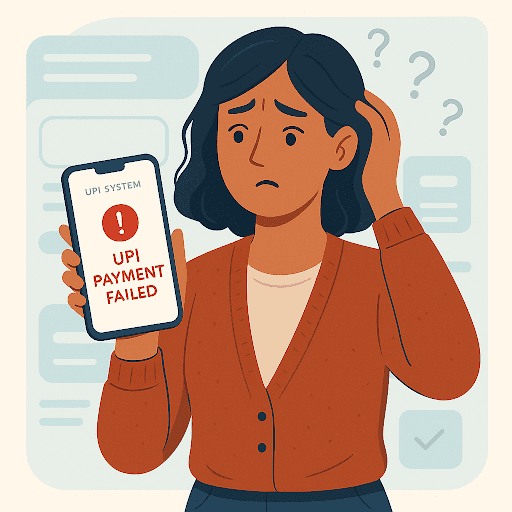
Aisha paid her milk bill via UPI like she always does. Except today, the screen flashed an error. Money got deducted. Payment didn’t reflect. Instant heart-rate spike. It’s a familiar panic moment. But take a breath.
UPI transaction failures aren’t uncommon. The good news? They are usually easy to check, fix, and prevent. This guide will tell you exactly what to do when UPI transaction failed screens interrupt your day.
What Is a UPI Transaction Failure?
When a UPI transaction failed message appears, it means the payment couldn’t be completed successfully. It is a result of an issue between your bank, the receiver's bank, and the NPCI (UPI switch).
You see, every UPI payment travels through multiple checkpoints. This includes the app, your bank, the NPCI system, and the receiver’s bank. So, the payment may fail if any one of these systems slows down, times out, or encounters a validation error.
Sometimes the deduction happens first, but the status update fails later. That’s when users feel stuck and unsure where their money has gone.
Types of UPI Transaction Failure
Here are the most common failure types and what they mean -
| Failure Type | What Happens | What Users See |
| Failed (No Debit) | Payment fails instantly without deducting money | “Payment Failed” |
| Debited but Reversed | Money first deducted, later refunded automatically | “Payment Failed” (followed by a refund SMS later) |
| Pending | Bank still processing; final result unknown | “Pending” status in the app |
| Expired | The system took too long or timed out | “Transaction Expired” |
| Technical Decline | Server banking error, insufficient connection | “Server Unavailable/Declined” |
Common Reasons Why UPI Transactions Fail
Left wondering, “Why did my UPI payment fail”? Here are some common culprits -
- Incorrect UPI ID / VPA - The system may reject the beneficiary details even in case of a single typo, leading to instant failure.
- Wrong UPI PIN or expired PIN - You’ve entered an incorrect PIN.
- Insufficient account balance - The system checks your balance before authorising payments. Even small shortfalls stop the transaction.
- Daily or per-transaction limit exceeded - UPI and banks impose transfer caps; once crossed, payments automatically fail.
- Mobile network or poor data connectivity - Interrupted authentication during the request may cause timeouts.
- UPI app not updated - Outdated app versions may not sync properly with the latest bank or NPCI protocols.
- Bank server downtime or overload - If either sender’s or receiver’s bank server is busy, the transaction cannot proceed.
- Receiver’s bank not responding - Even if your details are correct, delays on the beneficiary’s bank side can push your payment into a pending or failure state.
- Device switch or SIM change - Security checks may block transactions until the system re-authenticates your device.
- Timeout during peak traffic - When servers are overloaded, the system cancels delayed requests for safety.
Also Read - UPI Not Working? Here’s How to Fix It Fast
What to Do If Your UPI Transaction Fails, But the Amount Is Debited
What happens when a UPI transaction has failed but the amount is debited? It may be stressful, but remember: NPCI systems automatically process refunds within 1-3 working days.
In case your UPI transaction is still stuck, follow the steps below -
- Check your bank SMS and statement to confirm the debit.
- Open your UPI app history and note the UTR or transaction ID.
- Save screenshots with date and time for reference.
- Wait for an automatic refund, usually one to three working days.
- If not refunded, raise a dispute within the app itself (Google Pay, PhonePe, Paytm, BHIM).
- If the refund has not arrived in three to five days, contact your bank with the UTR details and request escalation.
Keeping the UTR handy and monitoring both the UPI app and your bank statement ensures quick resolution without unnecessary stress.
How to Prevent UPI Transaction Failures
Here are some practical tips to prevent UPI transaction failures for smooth payments -
- Double-verify the UPI ID or VPA before sending.
- Maintain a sufficient balance in your bank account.
- Keep your UPI app and mobile OS updated.
- Ensure you have a strong, stable data or Wi-Fi connection.
- Stay within your daily and per-transaction limits.
- Secure your UPI PIN and never share it with anyone.
- Avoid repeated retries if the bank server seems down. Wait and try later.
- Use only trusted, bank-authorised UPI apps and official portals.
Stay Calm, Stay Secure with UPI Payments
UPI glitches happen. Servers get busy. Networks drop. But knowing how to handle issues makes disruptions temporary and within your control. Just a blip and not panic-worthy.
But while digital payment hiccups are manageable, financial gaps sometimes aren’t.
If an unexpected expense pops up and you need funds without the stress, having a reliable backup matters.
That’s where a Hero FinCorp Personal Loan can help. Get quick approvals, minimal documentation, and the financial flexibility to stay in control even when payments don’t go as planned.
Apply for a Hero FinCorp personal loan today and stay financially ready, no matter the glitch.
Frequently Asked Questions
What happens if my UPI transaction fails but money is debited?
The bank and NPCI automatically reverse the amount back to your account in 1-3 days.
How long does it take to get a UPI refund?
UPI refunds typically take 1-3 days.
Can I cancel a pending UPI transaction?
No. Pending transactions auto-update to success or fail.
How can I check if my payment was successful?
Check UTR status in your UPI app, bank SMS, or statement entry.
Disclaimer: The information provided in this blog post is intended for informational purposes only. The content is based on research and opinions available at the time of writing. While we strive to ensure accuracy, we do not claim to be exhaustive or definitive. Readers are advised to independently verify any details mentioned here, such as specifications, features, and availability, before making any decisions. Hero FinCorp does not take responsibility for any discrepancies, inaccuracies, or changes that may occur after the publication of this blog. The choice to rely on the information presented herein is at the reader's discretion, and we recommend consulting official sources and experts for the most up-to-date and accurate information about the featured products.