How to Change and Reset UPI PIN?

This is something most of us can relate to: our muscle memory failing us at the worst possible time. Sometimes you end a call instead of answering it, hit Shift + Delete instead of just delete, and lose critical data or files.
Things could get worse, for instance, when you enter the wrong UPI pin thrice and get your UPI app locked, especially when there is a long queue behind you.
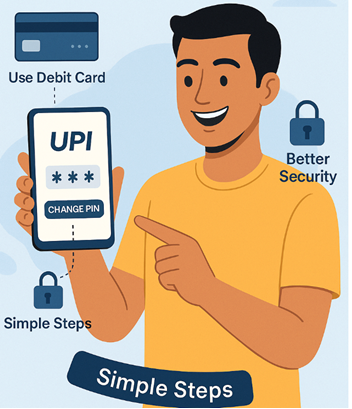
The silver lining is that resetting your UPI PIN is not that tough and one can do it in a very few simple steps. This blog will guide you on how to reset your UPI PIN using your Debit card or Aadhaar card. Read on!
Why Do You Need to Reset Your UPI PIN?
There are several reasons you may want to or should change your UPI PIN, beyond locking the app by entering the wrong one. These include:
- You Forgot Your PIN: If you have forgotten your UPI PIN altogether, you will have to reset it to make transactions.
- For Better Security: If you suspect someone knows your PIN, especially if they can get access to your phone, you should change your UPI PIN.
- You Switch Devices or Reinstall a UPI App: As a security measure, most UPI and banking apps require you to reverify your account when you switch devices or reinstall the app. The same also applies if you uninstall and reinstall the app on the same device. In most instances, you will be asked to reset your PIN.
- Changing the Bank Account Linked to Your UPI: On third-party UPI apps, adding a new bank account requires creating a fresh PIN for that specific account.
Need quick funds? Download our instant loan app and apply in minutes.
Methods to Reset UPI PIN In India

There are several ways to reset your UPI in India. Here are the generic steps for them, and they are common across all UPI platforms.
If You Know Your UPI PIN
If you remember the current PIN, the entire process is simple and goes like this:
- Step 1 - Go to the UPI settings. Depending on the application, this might be either in the Bank Account section or the UPI & Payment Settings.
- Step 2 - Click on "Change PIN". If you can only see "Forgot PIN" or "Reset PIN" options, please proceed to the next section.
- Step 3 - Verify your current PIN, and then enter the new PIN twice to confirm it.
If You Have Forgotten Your UPI PIN
In this case, you can do one of the following:
Reset Your UPI PIN Via Your Debit Card
If you have the debit card of the bank account linked to your UPI, follow the steps below:
- Step 1 - Access the "Forgot PIN" or the "Reset PIN" options as shown in Step 1 above.
- Step 2 - Enter debit card details requested. You will receive an OTP on your registered mobile number (the one linked to the bank). Enter it to verify your number.
- Step 3 - Enter your new UPI PIN.
- Step 4 - Your new PIN will be active now. Log in via your new PIN to verify if the change is successful.
Also Read: What is PIN? Full Form, How It Works, and Its Importance
Reset Your UPI PIN Via AADHAR
If you don’t have your debit card, you can also change your PIN through the AADHAR option.
The procedure is as follows:
- Step 1 - Click on the "Forgot PIN" or "Reset PIN" option as shown in Step 1 above.
- Step 2 - This time, click on the 'Using Aadhaar' option if available.
- Step 3 - Give your Aadhaar number and the OTP received by the UIDAI-registered number.
- Step 4 - Type your new PIN.
The process is the same across all apps, i.e., the third-party apps and the UPI-enabled banking apps.
Also Read: UPI Lite Transaction Limits: Daily Caps and Usage Rules Explained
Step-by-Step Guide to Reset UPI PIN Across Top UPI Apps
Here is the concise, step-by-step action guide for three major payment platforms.
How to Reset UPI PIN in Google Pay (GPay)
- Tap your Profile picture and select Bank account.
- Choose the specific account you want to update.
- Tap Forgot UPI PIN and select your verification method (Debit Card or Aadhaar).
- Enter the required card or Aadhaar digits, verify using the OTP, and set your new 4 or 6-digit UPI PIN.
How to Reset UPI PIN in PhonePe
- Tap your Profile icon and enter the Bank Accounts menu.
- Select the bank account requiring a reset and tap the Reset option.
- Input the last 6 digits and expiry date of your Debit Card (or verify via Aadhaar where supported).
- Authenticate with the mobile OTP, input your new UPI PIN, and confirm.
How to Reset UPI PIN in Paytm
- Tap your Profile icon and select UPI & Payment Settings.
- Find your linked bank account and tap the Change/Reset PIN link.
- Select Debit Card or Aadhaar Card for verification.
- Complete the OTP verification and set your new UPI PIN.
What Happens If You Enter the Wrong UPI PIN 3 Times?
If you enter an incorrect UPI PIN 3 times consecutively, the NPCI automatically blocks your UPI transactions for a strict 24-hour window as a security safeguard. Your bank account remains safe, and you can usually reset the PIN using the “Forgot UPI PIN” option with your debit card or Aadhaar, depending on the app and bank support.
Quick Comparison: Changing UPI PIN vs. Resetting UPI PIN
While both actions secure your account, changing and resetting a UPI PIN serve completely different purposes and require different levels of verification.
| Feature | Changing UPI PIN | Resetting UPI PIN |
| Primary Trigger | Routine security updates or minor privacy concerns. | Forgot the current PIN or account locked after 3 wrong attempts. |
| Verification Needed | Requires you to input your Current UPI PIN. | Requires Debit Card details, Aadhaar OTP, or Face Auth. |
| Process Nature | Standard account modification. | Emergency account recovery. |
Stay Prepared: Reset Your UPI PIN in Minutes
Knowing how to reset your UPI PIN in a jiffy can help you avoid getting stranded when making payments.
You have multiple options available to you to do so. That said, always make sure that your current phone number is registered with the bank and with UADAI.
Just as forgotten PINs shouldn't stop your transactions, insufficient funds shouldn't delay your plans.
Hero FinCorp’s instant personal loans help ensure you're never short of money when it matters. Apply digitally from anywhere using the instant loan app and get approval in under 10 minutes!
Conclusion
Managing your UPI PIN ensures seamless, secure daily transactions. Whether updating it for security or resetting it during an emergency, tools like Debit cards and Aadhaar make recovery instant. For larger financial demands that go beyond daily digital limits, turn to Hero FinCorp for lightning-fast, reliable Personal Loan solutions.
Frequently Asked Questions
Can the UPI PIN be reset without a debit card?
In case you do not have your debit card, you can reset your UPI PIN through the AADHAR OTP. This option, however, is not available for all banks, so it is better to keep your debit card close by.
What can you do if you forget your UPI PIN?
Your only option is to reset it. This can be done either by verifying the debit card details for the linked bank account or via the AADHAR method.
How long does it take to reset the UPI PIN?
Resetting a UPI takes no more than 5 minutes.
Can I use Aadhaar to reset the UPI PIN for all banks?
At the moment, not all banks provide the option to reset your UPI OTP via this method. Check your app to be sure.
Is it safe to reset UPI PIN via third-party apps?
Yes, all UPI apps meet NCPI's prescribed standards, and you can safely change your UPI PIN using them.
My transaction failed but my money was deducted due to an incorrect UPI PIN. What should I do?
Wait for the automatic refund, which is usually processed within 24–48 hours. Contact your bank or app support if delayed.
Can I reset my UPI PIN using my physical ATM PIN?
No, you cannot use an ATM PIN directly. You must use your debit card details or Aadhaar verification with OTP.
Are there any operational charges or fees levied to reset a UPI PIN?
No, banks and third-party UPI applications generally do not charge any fees or hidden costs for resetting your UPI PIN.
Disclaimer: The information provided in this blog post is intended for informational purposes only. The content is based on research and opinions available at the time of writing. While we strive to ensure accuracy, we do not claim to be exhaustive or definitive. Readers are advised to independently verify any details mentioned here, such as specifications, features, and availability, before making any decisions. Hero FinCorp does not take responsibility for any discrepancies, inaccuracies, or changes that may occur after the publication of this blog. The choice to rely on the information presented herein is at the reader's discretion, and we recommend consulting official sources and experts for the most up-to-date and accurate information about the featured products.