What Is an Aadhaar SRN? A Beginner’s Guide

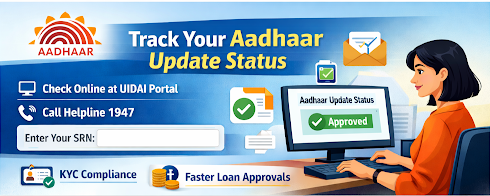
Ria has updated her Aadhar card information. Now, she wants to track the status of the update. When requesting an update, she received a tracking number, which is known as an Aadhaar SRN. She used this number to see the status of the update.
An Aadhaar SRN helps you track the progress of your Aadhaar update request.
Let’s find out what an Aadhaar SRN is and how you can use it to track Aadhaar update requests.
Understanding the SRN Number in Aadhaar-Based Services
The SRN, or Service Request Number, is a 14-digit identification number that helps you track the progress of Aadhaar updates. It is automatically generated when you request Aadhaar updates. It starts with the letter S followed by a 13-digit number. To check the status of the update, you can use this SRN.
Here are the situations when you get an SRN number:
- Apply for an update in your Aadhaar card, such as an address change
- Request for Aadhaar PVC card
Also Read: Aadhaar Card Loan: How to Apply Online Instantly in a Few Simple Steps
How to Find Your SRN Number in Aadhaar Card Related Services
When an SRN is generated, you get it via email or SMS. You also get an acknowledgement slip, in which the SRN is mentioned. Here’s how you can find it:
- Check your emails or messages. Use specific words like UIDAI to search and find it easily
- When you request an update, you get an acknowledgement receipt. Look for the SRN number in the receipt
Checking Your SRN Status: A Step-by-Step Guide
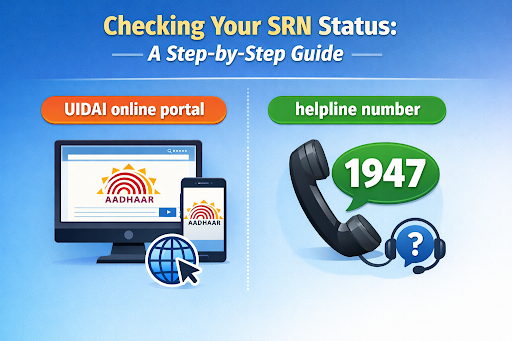
You can check the SRN status by visiting the UIDAI online portal or calling the helpline number. Here’s how you can check the SRN status through these methods:
UIDAI Portal
- Visit the portal: Go to the self-service portal by UIDAI
- Click on SRN: Once you visit the page, choose SRN to check your Aadhaar update status through the SRN number
- Enter the details: Add your SRN number and Captcha
- Submit: Click on ‘submit’. The status of the Aadhaar update request will be shown on the screen.
Helpline Number
Call the helpline number ‘1947’ of UIDAI and follow the automated prompts. When asked, enter your SRN number to know the real-time status update.
Aadhaar-Based Lending: Seamless and Secure
You need to keep your Aadhaar updated for a smooth loan process. Here’s how an updated Aadhaar helps:
KYC Compliance
For many financial institutions, Aadhaar is an important Know Your Customer (KYC) document. When you keep your Aadhaar updated, you meet the KYC requirements, which helps in financial transactions.
Loan Applications
When you apply for a loan, lenders verify your identity and address. With an updated Aadhaar card, you can ensure quick processing. If the information is outdated, the loan application may get delayed or rejected.
Also Read: When Is a Personal Loan a Good Idea?
Keep Your Aadhar Updated for Easy Lending
When you update information in your Aadhaar, the SRN number helps you check the update status. You get the SRN number through SMS, Email, and the acknowledgement receipt. To check the status update, visit the online portal or call the helpline number of UIDAI. By tracking the progress, you can avoid delays in case of any issues.
An updated Aadhaar card helps you get faster loan approval. The lender can verify your details and identity easily.
Hero Fincorp offers a paperless personal loan process with quick approval, so you can deal with financial emergencies easily.
Need financial support quickly? Apply for a personal loan online to manage funds without draining your savings.
Frequently Asked Questions
Is SRN the same as EID or URN for Aadhaar?
No. When you enrol for or update Aadhaar, you get a receipt. It has a 14-digit serial number and a 14-digit timestamp. This 28-digit number is your EID for enrollment and URN in case of an update. SRN is generated when you request an address update online.
How long is an SRN number valid once generated?
The SRN number is valid until your update request is fulfilled.
What should I do if my SRN status shows rejected?
If your SRN status shows rejected, check the reason for rejection and collect the required documents. Then resubmit the request.
Is an SRN needed for every Aadhaar-based transaction or only specific ones?
SRN is needed when you place an order for a PVC card or request an address update online.
How does HeroFinCorp use my Aadhaar and SRN information for loan processing?
Hero Fincorp uses your Aadhaar and SRN information as a KYC document to verify your identity for loan processing.
Disclaimer: The information provided in this blog post is intended for informational purposes only. The content is based on research and opinions available at the time of writing. While we strive to ensure accuracy, we do not claim to be exhaustive or definitive. Readers are advised to independently verify any details mentioned here, such as specifications, features, and availability, before making any decisions. Hero FinCorp does not take responsibility for any discrepancies, inaccuracies, or changes that may occur after the publication of this blog. The choice to rely on the information presented herein is at the reader's discretion, and we recommend consulting official sources and experts for the most up-to-date and accurate information about the featured products.
