How UPI AutoPay Reduces the Risk of Loan Penalties

- What is UPI AutoPay?
- How Does UPI AutoPay Work?
- Why UPI AutoPay Matters for Loan Payments in India
- How UPI Autopay Prevents Loan Penalties
- How to Pause, Stop, or Cancel a UPI AutoPay
- How to Set Up UPI AutoPay for School Fees, Insurance Premiums, and Loan EMIs
- Is UPI AutoPay Safe: Security Features
- Benefits of UPI AutoPay for Indian Borrowers
- How to Handle Subscriptions and Bills Using UPI AutoPay
- Payment Reliability Put on a Timeline: UPI Autopay
- Frequently Asked Questions
Key Takeaways
- UPI AutoPay automates recurring payments such as EMIs, subscriptions, utility bills, and insurance premiums through a one-time approval.
- It helps prevent missed EMI payments, reducing the risk of late fees, penalties, and negative impacts on credit scores.
- Users authorize a mandate once, after which payments are deducted automatically on the scheduled date.
- Real-time alerts, reminders, and payment confirmations provide transparency and better financial tracking.
- UPI AutoPay is secure, using UPI PIN authentication, encryption, and NPCI-regulated safeguards.
- Users can easily view, modify, pause, or cancel mandates through supported UPI apps whenever needed.
UPI's immense convenience and real-time transaction capability make it the most preferred payment method today. In August 2025, UPI recorded 20 billion transactions worth INR 24.5 lakh crores.
In addition to the retail niche, UPI is making its convenience known in the financial services sector as well, with features like UPI AutoPay. UPI AutoPay automates your recurring payments—Equated Monthly Instalments (EMIs), subscriptions, etc. —improving payment convenience a notch further. Let's understand that in more detail.
What is UPI Autopay?
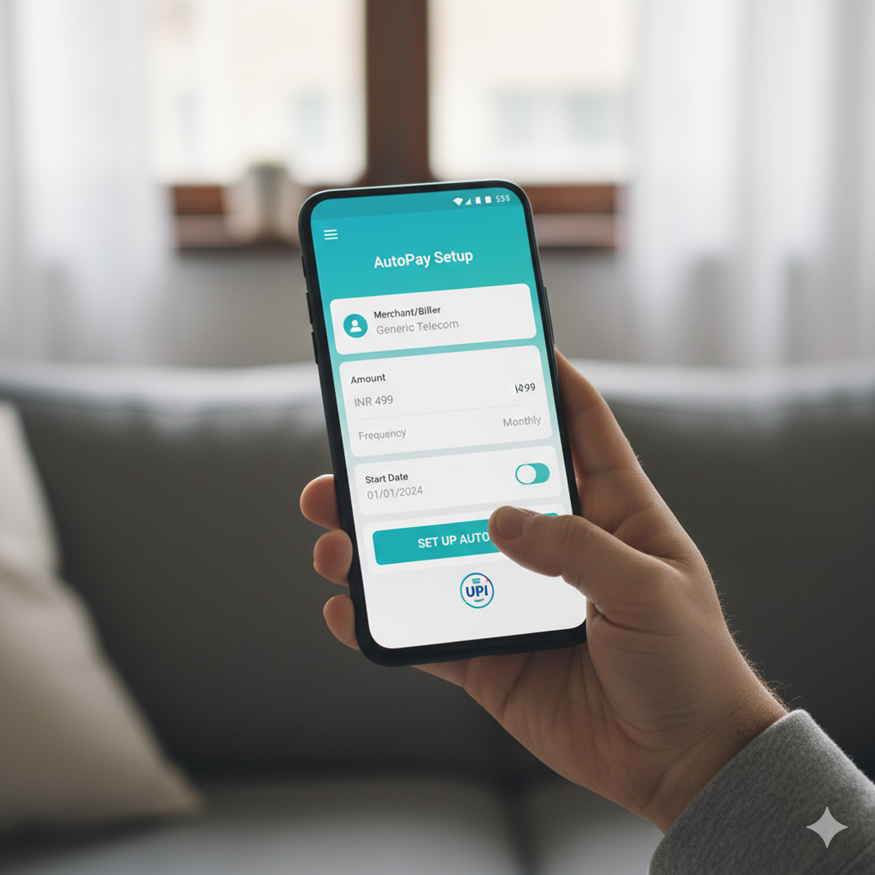
UPI AutoPay is an NPCI-approved feature inside any UPI app that lets a user authorise a merchant or service provider to automatically debit a fixed (or pre-defined variable) amount from their bank account on a recurring schedule without requiring the user to enter a UPI PIN at every cycle. It is the UPI equivalent of an auto-debit on a credit card, but works across all UPI-enabled banks rather than only within the card issuer's network.
Types of recurring payments you can automate with UPI AutoPay:
- OTT Platforms: OTT subscriptions
- Utility bills: electricity, water, piped gas, postpaid mobile, broadband
- Loan EMIs: personal loan, home loan, auto loan, two-wheeler loan, education loan
- Insurance premiums: term, health, motor, life insurance (monthly, quarterly, or yearly)
- Mutual fund SIPs: equity, debt, and ELSS systematic investment plans
- School and tuition fees: recurring fee schedules for school, college, or coaching
- Society maintenance and rent: fixed monthly housing payments
- Credit card bill payment: full or minimum due on a fixed date
How Does UPI AutoPay Work?
Here is a stepwise process:
- Open a UPI app that supports AutoPay
- Select the service provider or biller
- Authorise automatic deductions from your linked bank account
- Set payment frequency (weekly, monthly, etc.)
- Enter the amount for each payment
- Confirm the AutoPay setup and receive an acknowledgement
- Payments will be deducted automatically on schedule
Why UPI AutoPay Matters for Loan Payments in India
Scheduled monthly payments are supposed to be made at the same time every month. However, it is common to miss a few payments for simple reasons, such as forgetting to pay, technical issues with apps or servers, or unavailability of funds at the right time.
Consequently, if you miss a payment by more than a week, NBFCs and banks charge you late payment penalties. Not only do these penalties increase the total cost of the loan for you, but they also impact your credit score negatively.
In turn, this could make it harder for you to take out loans in the future by raising your interest rates.
Fortunately, with UPI AutoPay, some of these challenges are effectively addressed.
How UPI Autopay Prevents Loan Penalties
UPI AutoPay ensures that your payments are made automatically, securely, and on schedule:
- Users create a mandate for recurring payments (like EMI) on their UPI app.
- The app automatically transfers the mandate directly from the chosen account on a set date, requiring no further approval.
- You don’t have to deal with any more missed deadlines, forgotten payments, or grappling with technical issues at the last minute.
- Users stay updated with prompt reminders, notifications, and status updates.
- By setting up UPI AutoPay for loan payments, you minimise the risk of late fees, penalties, and disruptions.
How to Pause, Stop, or Cancel a UPI AutoPay
All three actions pause, stop, and cancel happen entirely inside the UPI app where the mandate was originally approved. There are no charges from NPCI, the bank, or the UPI app for cancelling or modifying a UPI AutoPay mandate, regardless of when it is done. The user retains full control even on mandates initiated by merchants.
How to cancel a UPI AutoPay:
- Open the UPI app and go to Profile / Settings → AutoPay or Mandates
- Select the active mandate to cancel (Netflix, gym, OTT, insurer, etc.)
- Tap Cancel Mandate or Stop AutoPay and confirm with your UPI PIN
- Confirmation arrives within seconds; the merchant is notified automatically
How to pause a UPI AutoPay temporarily:
- In the same AutoPay / Mandates section, select the active mandate
- If the app supports a "Pause" option (Google Pay and PhonePe currently do; some bank apps don't), set the pause duration and authorise with UPI PIN
- If a Pause option isn't available, the workaround is to cancel the existing mandate and create a fresh one when service resumes
Cancellation timing - important caveats:
- Cancel at least 24 hours before the next scheduled debit to ensure the upcoming payment doesn't process. Cancellations submitted within 24 hours of the due date may not stop the in-process debit.
- Cancelling the UPI mandate stops the debit, but doesn't cancel your subscription with the merchant — also cancel the service inside the merchant's own app (Netflix, gym, etc.) to avoid service-level dues accruing
- Cancellation does not refund debits that have already happened
How to Set Up UPI AutoPay for School Fees, Insurance Premiums, and Loan EMIs
The setup flow follows the same five steps regardless of whether you're automating a school fee, an insurance premium, an OTT subscription, or a loan EMI. The merchant initiates the mandate, the user approves it once, and every future payment runs automatically.
- Step 1 - Initiate the mandate at the merchant's side: After enrolling in the recurring service (school admission, insurance policy, loan disbursal, etc.), choose the "UPI AutoPay" or "UPI Mandate" option at the payment screen and enter your UPI ID.
- Step 2 - Open the mandate request in your UPI app: A push notification appears in your UPI app with a "Pending Mandate" tag
- Step 3 - Review the four mandate parameters: Merchant name (e.g., the school, insurer, or lender), amount, frequency (monthly, quarterly, annual), and validity end-date
- Step 4 - Authorise with UPI PIN: Approve the mandate once with your UPI PIN; the mandate moves to "Active" status immediately
- Step 5 - Confirm linkage: The merchant marks the policy / loan / fee schedule as "AutoPay enabled". The first debit happens automatically on the next scheduled due date - no PIN entry needed at debit time.
Hero FinCorp makes it easy for you to make instalment payments on time by combining state-of-the-art technologies like UPI AutoPay with its handy personal loan app. The top-notch customer service ensures that you always know the status of your recurring payments, balance, and other key details.
Is UPI AutoPay Safe: Security Features
Yes, security is built into the core of UPI payments with the following features:
- To authorise mandates, you need to provide your biometrics or UPI PIN.
- User data remains protected with end-to-end encryption.
- Every mandate payment generates instant notifications to keep you updated.
- Mandates can be created only on verified apps, reducing phishing risk.
- The NPCI and RBI regulate these payments to ensure compliance and provide resolution avenues.
Also Read: Know UPI Payment is Safe
Benefits of UPI AutoPay for Indian Borrowers
Automating monthly instalment payments using UPI apps delivers several key benefits:
- The UPI AutoPay feature helps you make payments on time, eliminating delays and missed instalments. It saves you from paying penalties.
- A one-time setup ensures every single instalment goes out on time. This includes multiple loans from different banks.
- Automated reminders help you plan your finances and predict outgoing payments.
- The process is entirely transparent through payment confirmations, instant alerts, and records for future financial planning. You always know where your funds are transferred. There is no risk of missed payments with UPI AutoPay, providing peace of mind and penalty savings.
- You improve your credit health and score by paying every EMI on time, securing lower interest rates for future loans.
Also Read: Advantages of UPI Payment
How to Handle Subscriptions and Bills Using UPI AutoPay
- Set Up UPI AutoPay Easily: Link your bank account and create a mandate for recurring payments in seconds.
- Choose Payment Frequency: Customize schedules—daily, monthly, or yearly—for subscriptions and bills.
- Automate Bill Payments: Pay utilities, OTT subscriptions, EMIs, and SIPs without manual effort using UPI AutoPay.
- Ensure Timely Payments: Avoid late fees with automatic debits on due dates.
- Secure Authorization: Every mandate requires UPI PIN approval, ensuring safe transactions.
- Track and Manage Mandates: View, modify, or cancel active AutoPay instructions anytime.
Payment Reliability Put on a Timeline: UPI Autopay
UPI AutoPay takes the mental load of recurring payments off your mind. Explore Hero FinCorp's wide range of quick-approval, 10-minute loan options with the peace of mind that you can easily automate your EMIs, preserve and improve your credit score, and avoid penalties.
Tired of missing payments? Click here to check out Hero FinCorp's competitive personal loans today.
Frequently Asked Questions
Can I stop or modify a UPI AutoPay mandate?
Yes, you can pause, modify, or cancel any mandate at any time through your UPI app.
Do I need sufficient funds in my account for every EMI?
Yes, UPI AutoPay will only work if there is an amount equal to the mandate set in your account.
Is there an upper limit on the mandate amount for recurring payments?
NPCI has set certain maximum limits, but most loan payments fall within them.
Do all lenders support UPI AutoPay?
Major lenders, including Hero Fincorp, support AutoPay for quick and secure payments.
What is UPI AutoPay and how does it work?
UPI AutoPay is a feature that allows automatic recurring payments from your bank account after setting a one-time mandate.
Which types of payments can be made using UPI AutoPay?
You can use it for subscriptions, utility bills, OTT platforms, insurance premiums, and loan EMIs.
Is UPI AutoPay safe for recurring transactions?
Yes, it is secured with UPI authentication and follows strict guidelines set by NPCI for safe transactions.
Do I need to approve every UPI AutoPay transaction manually?
No, once the mandate is approved, payments are automatically debited without manual approval each time.
Which apps support UPI AutoPay in India?
Popular apps like Google Pay, PhonePe, Paytm, and BHIM support UPI AutoPay functionality.
What is UPI AutoPay and how does it work?
UPI AutoPay is a feature that allows automatic recurring payments from your bank account after setting a one-time mandate.
Which types of payments can be made using UPI AutoPay?
You can use it for subscriptions, utility bills, OTT platforms, insurance premiums, and loan EMIs.
Is UPI AutoPay safe for recurring transactions?
Yes, it is secured with UPI authentication and follows strict guidelines set by NPCI for safe transactions.
Do I need to approve every UPI AutoPay transaction manually?
No, once the mandate is approved, payments are automatically debited without manual approval each time.
Which apps support UPI AutoPay in India?
Popular apps like Google Pay, PhonePe, Paytm, and BHIM support UPI AutoPay functionality.
Disclaimer: The information provided in this blog post is intended for informational purposes only. The content is based on research and opinions available at the time of writing. While we strive to ensure accuracy, we do not claim to be exhaustive or definitive. Readers are advised to independently verify any details mentioned here, such as specifications, features, and availability, before making any decisions. Hero FinCorp does not take responsibility for any discrepancies, inaccuracies, or changes that may occur after the publication of this blog. The choice to rely on the information presented herein is at the reader's discretion, and we recommend consulting official sources and experts for the most up-to-date and accurate information about the featured products.