What is a UPI PIN, and How to Create and Change a UPI PIN?
- What is UPI PIN?
- How to Create a UPI PIN? Step-by-Step Guide
- How to Change or Reset Your UPI PIN?
- How to Reset Your UPI PIN If You've Completely Forgotten It:
- Core Features of the UPI Ecosystem
- Difference Between UPI PIN and MPIN
- Best Practices to Keep Your UPI PIN Secure
- Common Issues with UPI PIN and How to Troubleshoot Them
- Manage Your UPI PIN for Easy Digital Payments
- Conclusion
- Frequently Asked Questions
Key Takeaways
- UPI PIN is a 4- or 6-digit code used to approve UPI payments.
- It is different from your ATM PIN and MPIN.
- You can create a UPI PIN using your debit card or Aadhaar verification.
- If you forget it, reset it easily through your UPI app.
- Never share your UPI PIN and avoid using easy number combinations.
- Regularly updating your PIN helps keep transactions secure.
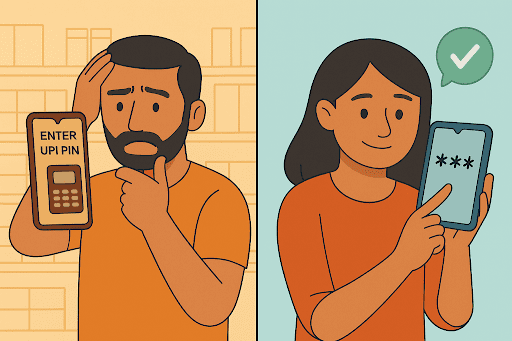
A few days ago, Mehul tried paying for groceries in Pune and suddenly blanked on his UPI PIN. That same evening, Ananya in Jaipur set up a brand new one after opening her bank account. Simple situations, yet both show how much we rely on that small number without thinking about it.
UPI works in seconds, but only if your PIN is set, safe, and easy for you to remember. If it slips your mind or you decide it is time for a change, you can update your UPI PIN quite quickly.
Knowing what a UPI PIN means, how it secures your account, and how to create or reset it gives you more confidence every time you pay.
What is UPI PIN?
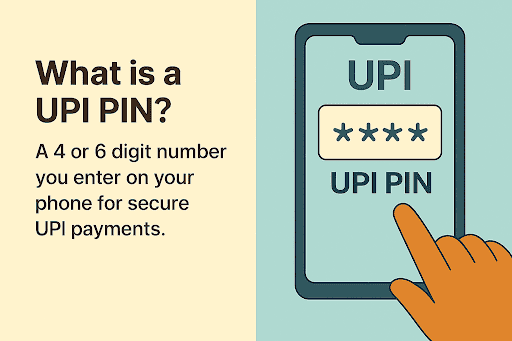
UPI, or Unified Payments Interface, is the system that allows instant bank-to-bank payments through your smartphone. To keep every transfer safe, it uses a UPI PIN.
A UPI PIN means a 4 or 6 digit number you set when linking your bank account to a UPI app. You type it in each time you send money, approve a request, or pay a merchant, which confirms that the payment is genuinely from you.
It isn’t the same as an ATM PIN or MPIN. Those are for cash withdrawals or mobile banking, while a UPI PIN is only for UPI transactions.
Also Read: What is PIN? Full Form, How It Works, and Its Importance
How to Create a UPI PIN? Step-by-Step Guide
First, ensure your bank account shows up in the UPI app, and have your debit card on hand. You will usually need the last six digits and the card’s expiry date.
You can set a UPI PIN through BHIM, Google Pay, PhonePe, or your bank’s own app. The process is usually similar:
- Open the app and select your linked bank account.
- Tap the option to set or create a UPI PIN.
- Fill in your debit card information when the app asks.
- Check your phone for the OTP and enter it to verify your account.
- Decide on a 4 or 6-digit UPI PIN and type it again to save it.
That’s all it takes. Your PIN is now active for payments.
Go with a PIN that isn’t easy to guess, and keep it to yourself.
How to Change or Reset Your UPI PIN?
As long as you recall your current UPI PIN, changing it only takes a moment. If it has slipped your mind and you’re asking yourself what is my UPI PIN, simply reset it.
- To change it, start by opening your UPI app, like BHIM, Google Pay, PhonePe, or your bank app.
- Go to Bank accounts or Payment methods and select your linked bank.
- Tap Change UPI PIN or similar.
- Enter your existing UPI PIN.
- Set a new 4 or 6 digit PIN and confirm.
How to Reset Your UPI PIN If You've Completely Forgotten It:
A forgotten UPI PIN can be reset entirely within the UPI app. No branch visit, no phone call, and no resetting of the bank account itself is needed. The bank cannot retrieve your old PIN (it isn't stored in retrievable form anywhere), so the reset uses your debit card or Aadhaar number as a secondary credential.
Step-by-step UPI PIN reset when you've forgotten it:
- Step 1 - Open your UPI app on the phone holding the SIM linked to your bank account
- Step 2 - Go to Profile / Bank Accounts and select the linked bank for the account you want to reset
- Step 3 - Tap "Forgot UPI PIN" or "Reset UPI PIN" (label varies by app)
- Step 4 - Choose your verification method: Enter the last 6 digits of your debit card and the card's expiry month and year
- Step 5 - Enter the OTP sent to your bank-registered mobile number
- Step 6 - Set your new 4- or 6-digit UPI PIN and re-enter to confirm
Reset is immediate: the new PIN works from the very next transaction, and it bypasses any active 24-hour lock from prior wrong-PIN attempts
If reset or change fails:
- Check network and SMS balance
- Make sure the SIM linked to your bank is in the phone
- Confirm your debit card is active and not expired
- If issues continue, contact your bank’s customer care
Only you should know your PIN, so avoid easy sequences and update it periodically to keep UPI transactions secure.
Core Features of the UPI Ecosystem
The UPI ecosystem has transformed digital payments and everyday transactions in India by making money transfers faster, simpler, and more secure. It allows users to perform multiple banking activities directly through mobile devices without visiting a bank branch.
- Supports instant bank-to-bank money transfers 24/7
- Allows multiple bank accounts within a single payment app
- Enables QR code payments for shops and merchants
- Supports utility bill payments and online purchases
- Offers secure transactions through UPI PIN authentication
- Uses encrypted systems to protect payment information
- Works seamlessly across different banks and payment apps
- Makes everyday digital payments convenient and time-efficient
Difference Between UPI PIN and MPIN
Many users confuse these types of PINs because both are used for banking security. However, they serve different purposes within digital banking systems.
| Parameter | UPI PIN | MPIN |
|---|---|---|
| Full Form | Unified Payments Interface PIN | Mobile Banking Personal Identification Number |
| Primary Purpose | Authorises UPI payments and fund transfers | Secures access to mobile banking services |
| Used For | Sending money through UPI apps | Logging into mobile banking apps and banking services |
| Linked To | Specific bank account on a UPI platform | Mobile banking profile or bank application |
| Transaction Requirement | Mandatory for every UPI payment | Usually needed during login or banking actions |
| Setup Process | Created during UPI registration | Generated while activating mobile banking |
| Platform Usage | Google Pay, PhonePe, Paytm, BHIM, banking UPI apps | Bank-specific mobile banking applications |
| Security Function | Prevents unauthorised UPI transactions | Protects access to banking features and account information |
Understanding the difference between a UPI PIN and MPIN helps users manage digital banking securely and avoid confusion while making transactions.
Best Practices to Keep Your UPI PIN Secure
If you’re thinking about how to keep your UPI PIN safe, a few small habits make a big difference:
- Choose a PIN with mixed numbers instead of something obvious
- Keep it private and don’t share it with anyone
- Skip birthdays, phone numbers, or repeated digits
- Change your PIN once in a while for added safety
- Avoid public Wi-Fi when paying through UPI
- Read your transaction alerts and act fast if something looks off
These easy UPI PIN security tips help keep your payments secure. If you also manage EMIs or personal loan repayments, the Hero FinCorp Instant Personal Loan App for Android and iOS makes it easy to track due dates, view statements, and stay organised.
Common Issues with UPI PIN and How to Troubleshoot Them
- Forgot UPI PIN: Use the Reset PIN option in your UPI app and verify with your debit card and OTP
- UPI PIN not working after several wrong attempts: Your bank may temporarily block PIN entry. Wait a few hours before trying again
- Correct PIN still not accepted: Check your network, restart the app, and confirm the linked bank account is active
- Transactions failing due to PIN: Update the app or try later if the bank server is busy
- Ongoing UPI PIN issues: Contact your bank or app support for help
Most problems resolve quickly with these steps.
Manage Your UPI PIN for Easy Digital Payments
We tend to forget about the UPI PIN until we need it, yet it’s the layer that protects every payment. Understanding how to maintain it helps everyday banking feel smoother and safer. A solid PIN and mindful habits keep UPI running smoothly.
Hero FinCorp aims to offer the same ease with borrowing. If you’re looking for quick funds for personal needs, consider a personal loan.
Explore Hero FinCorp's personal loans and use the personal loan eligibility calculator today to get started.
Conclusion
Your UPI PIN is the foundation of secure, everyday digital transactions. By choosing unpredictable combinations, practicing routine updates, and utilizing modern Debit or Aadhaar card resets when locked out, you ensure seamless account safety. For larger life milestones or sudden cash shortfalls that exceed daily UPI caps, look to Hero FinCorp for instant Personal Loan support.
Frequently Asked Questions
Is my UPI PIN identical to my ATM PIN?
No. The ATM PIN authorises cash withdrawals at ATMs and card-swipe transactions; the UPI PIN authorises only digital UPI transfers and is set separately for each bank account in your UPI app.
Can one UPI PIN be used across several bank accounts?
Yes, but using different PINs for each bank account is safer: a leaked PIN then exposes only one account rather than all your UPI-linked accounts at once.
When should I update my UPI PIN?
Every 3–6 months as a precaution, or immediately if you notice unusual transactions, suspect someone may have seen the PIN, or your phone was lost or shared.
What if someone finds out my UPI PIN?
Reset it immediately and review recent transactions. Contact your bank if you spot anything suspicious.
Can others view my UPI PIN while I type it?
Apps hide the digits, but it is still wise to cover your screen in public.
Do I have to notify the bank after changing my UPI PIN in an app?
No. The update happens automatically within the UPI system.
What is the full form of a UPI PIN?
UPI PIN stands for Unified Payments Interface Personal Identification Number used to authorise secure digital payment transactions.
Are UPI payments inherently safe and secure?
Yes, UPI payments use encrypted systems, device verification, and PIN authentication to protect transactions and banking information securely.
Is there a limit to how many times I can change my UPI PIN?
No fixed limit exists, but excessive PIN changes or failed attempts may temporarily trigger security restrictions from banks.
How do I reset my UPI PIN if I have forgotten it completely?
Open your UPI app → select your bank account → tap "Forgot UPI PIN" → verify with your debit card (last 6 digits + expiry) or Aadhaar → enter the OTP → set a new PIN. The whole process takes under 2 minutes and works even if you've previously entered the wrong PIN three times.
Disclaimer: The information provided in this blog post is intended for informational purposes only. The content is based on research and opinions available at the time of writing. While we strive to ensure accuracy, we do not claim to be exhaustive or definitive. Readers are advised to independently verify any details mentioned here, such as specifications, features, and availability, before making any decisions. Hero FinCorp does not take responsibility for any discrepancies, inaccuracies, or changes that may occur after the publication of this blog. The choice to rely on the information presented herein is at the reader's discretion, and we recommend consulting official sources and experts for the most up-to-date and accurate information about the featured products.