What Is VPA Remark in UPI? Meaning, Uses, and How It Works

- What Is a VPA in UPI?
- What Does VPA Remark Mean in UPI?
- VPA vs UPI ID: What's the Difference?
- How a VPA Transaction Works
- Key Benefits of Using a VPA
- How to Create a VPA
- How to Add a VPA Remark When Paying
- VPA Remark Examples by Use Case
- Security Best Practices for VPA Users
- Managing Bigger Financial Needs
- Frequently Asked Questions
If you have ever typed "Rent April" or "Birthday gift" while making a UPI payment, you have used a VPA remark. Most users do it without knowing what it is formally called or why it matters beyond the moment.
This article explains what a VPA is, what the remark feature does, and how both work together to make UPI payments faster, safer, and easier to track.
What Is a VPA in UPI?
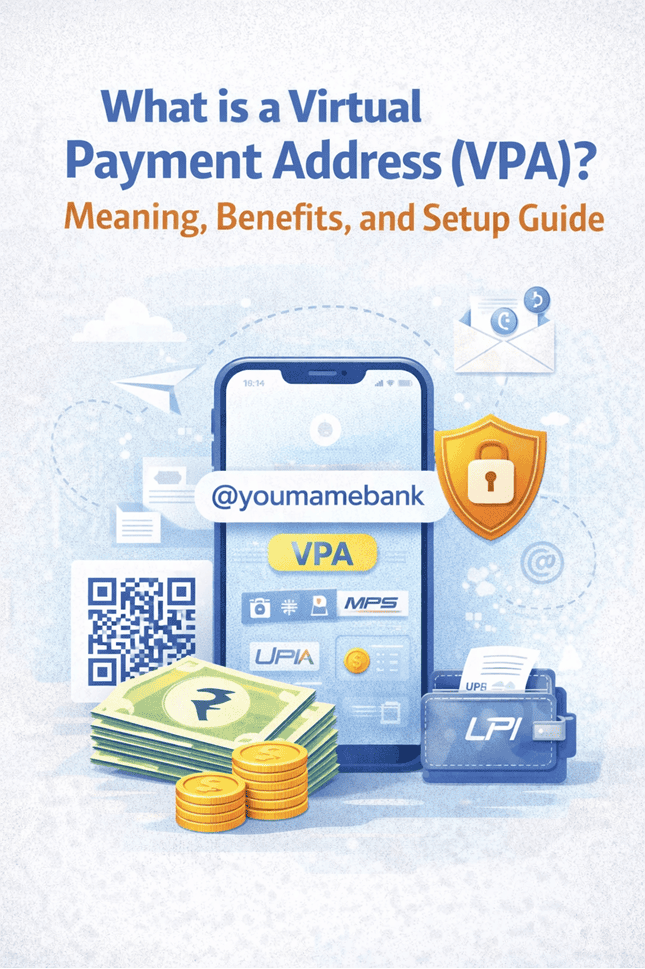
A Virtual Payment Address (VPA) is a short identifier-typically username@bankname or mobilenumber@upi-linked to your bank account on the UPI network. It replaces your account number and IFSC code in every transaction.
When a sender enters your VPA, the UPI system locates your linked account and transfers the money instantly. Your actual bank details are never exposed.
Also Read: What is a UPI Address? Meaning and How It Works
What Does VPA Remark Mean in UPI?
What is VPA Remark in UPI? Meaning, Uses, and How it WorksIt appears in both parties' transaction histories and serves as a payment description. It does not affect the transfer, only the record.
Common examples:
- Rent April 2025
- Salary Advance
- Freelance invoice #INV-204
- Birthday gift - Rohan
VPA vs UPI ID: What's the Difference?
The terms are used interchangeably in practice, but there is a technical distinction:
| Feature | VPA | UPI ID |
|---|---|---|
| Definition | Human-readable alias linked to your bank account | System identifier for your UPI account |
| Example | yourname@hdfcbank, 9876543210@upi | yourname@okaxis |
| Customisable? | Yes | Partially - format set by bank/app |
| Purpose | Receiving money without sharing bank details | Routing transactions on the NPCI network |
Also Read: What is UPI and How Does UPI Work?
How a VPA Transaction Works
| Step | Action | What Happens |
|---|---|---|
| 1 | Open UPI app → Pay/Send Money | Select payment mode |
| 2 | Enter recipient's VPA | App verifies VPA and displays registered name |
| 3 | Enter amount | Type the transfer amount |
| 4 | Add remark (optional) | Type a note: e.g., "Rent October" or "Invoice #208" |
| 5 | Authenticate with UPI PIN | Enter 4- or 6-digit PIN or use biometrics |
| 6 | Transfer complete | Amount credited instantly to recipient's linked account |
Key Benefits of Using a VPA
Bank Details Stay Private
Your account number, IFSC code, and branch name are never shared. Even if someone has your VPA, they can only send you money - they cannot access or withdraw from your account.
Works Across All Banks and Apps
VPAs are interoperable. A VPA on BHIM or any bank app receives payments from users on Google Pay, PhonePe, Paytm, or any of the 50+ NPCI-registered banks - regardless of which bank holds your account.
Available 24/7
Unlike NEFT or RTGS, UPI runs continuously - weekends, public holidays, late night. Settlements happen within seconds.
VPA Remarks Build a Transaction Audit Trail
Adding remarks to payments creates a searchable payment history. This is particularly useful during tax filing, GST reconciliation, expense audits, or tenancy disputes - without needing to maintain a separate ledger.
Name Verification Reduces Errors
Before you confirm any payment, UPI displays the account holder's registered name. This verification step prevents accidental transfers to the wrong person - a gap that exists in traditional NEFT/RTGS transfers.
Multiple VPAs Per Account
Most UPI apps let you create multiple VPAs linked to the same bank account. Use one for personal payments, another for business - keeping records clean and separated.
Also Read: NEFT vs. RTGS vs. IMPS vs. UPI: Key Differences
How to Create a VPA
- Download a UPI-enabled app - BHIM, your bank's app, or a third-party platform (Google Pay, PhonePe). Use only official app stores.
- Register with your bank-linked mobile number - The app sends an automated SMS to verify the number on record at your bank.
- Select your bank - The app fetches your account details automatically once your number is verified.
- Set your VPA handle - Accept the default (mobilenumber@bankname) or create a custom one like priyasharma@hdfc. Keep it simple - you'll share it often.
- Create your UPI PIN - Set a 4- or 6-digit PIN using your debit card details. This PIN authorises every transaction. Keep it confidential.
How to Add a VPA Remark When Paying
The remark field may appear as Note, Message, Purpose, or Remark depending on the app - the function is identical.
- Open the UPI app → Pay / Send Mone
- Enter the recipient's VPA and confirm their name
- Enter the amount
- Type your remark in the Note/Remark field
- Authenticate with your UPI PIN
The remark appears in both parties' transaction histories. Most apps retain this indefinitely; bank statements may include it depending on your bank's format.
VPA Remark Examples by Use Case
| Use Case | Suggested Remark | Why It Helps |
|---|---|---|
| Rent payment | Rent Oct 2025 – Flat 4B | Proof of payment in tenancy disputes |
| Splitting bills | Lunch 28 Oct – Zomato | Easy group reconciliation |
| Freelance payment | Invoice #INV-208 – Sept | GST and accounting compliance |
| Family transfer | Medical – Mum | Personal financial tracking |
| Business advance | Advance – Project Alpha | Vendor payment records |
| Utility bills | Electricity – Nov 2025 | Avoids duplicate payments |
Security Best Practices for VPA Users
- Verify the recipient's name on screen before confirming every payment.
- Never share your UPI PIN - not over phone, WhatsApp, or with anyone claiming to be a bank representative.
- Be alert to payment requests. Accepting a request sends money out of your account. Fraudsters disguise requests as confirmations.
- Report disputed transactions within 48 hours through your bank's grievance portal or the TPAP complaint mechanism.
- Enable real-time SMS/push notifications on your bank account for every transaction.
- If your VPA is compromised, deactivate it immediately through your UPI app or bank branch.
Managing Bigger Financial Needs
Once day-to-day payments are seamless, the next step is ensuring larger financial needs - planned purchases, emergencies, or business gaps - are handled just as easily.
Hero FinCorp offers instant personal loans through a fully digital process. Check eligibility and apply on the app - no branch visit, no paperwork. Loan amounts from ₹50,000 to ₹5 lakh with transparent terms and flexible repayment.
Frequently Asked Questions
What is a VPA remark in UPI?
An optional text note attached to a UPI payment that describes its purpose - e.g., "Rent March" or "Invoice #102". It appears in transaction history but does not affect the payment.
Is VPA the same as a UPI ID?
Yes. Both refer to the same identifier (e.g., yourname@bank) used to send and receive UPI payments. Different apps use different terminology for the same thing.
Can I have multiple VPAs for one bank account?
Yes. Most UPI apps allow multiple VPAs on a single account - useful for separating personal and business payments.
What happens if I send money to the wrong VPA?
If the VPA doesn't exist, the transaction fails and the amount is refunded within 24–48 hours. If it belongs to another person, contact your bank immediately and raise a dispute.
Is a VPA remark mandatory?
No. It is optional. However, consistent use of descriptive remarks significantly simplifies reconciliation for freelancers, businesses, and households.
Do VPA remarks appear in bank statements?
They appear in your UPI app's transaction history. Inclusion in official bank statements depends on your bank's format - many banks now include UPI narrations in detailed statements.
Can I change my VPA?
Yes, through your UPI app's settings. Your old VPA can typically be deactivated; payments sent to it will fail or redirect per your bank's policy.
Disclaimer: The information provided in this blog post is intended for informational purposes only. The content is based on research and opinions available at the time of writing. While we strive to ensure accuracy, we do not claim to be exhaustive or definitive. Readers are advised to independently verify any details mentioned here, such as specifications, features, and availability, before making any decisions. Hero FinCorp does not take responsibility for any discrepancies, inaccuracies, or changes that may occur after the publication of this blog. The choice to rely on the information presented herein is at the reader's discretion, and we recommend consulting official sources and experts for the most up-to-date and accurate information about the featured products.