What Is Online Banking? Definition and How It Works
Convenience is the top priority for customers in money management. And what's better than using your computer or smartphone to handle your finances?
This is where online or net banking comes in.
An online bank offers all time-consuming routine operations, such as transferring funds and checking balances, via the internet, giving consumers a range of advantages. We will examine these aspects and benefits in more detail so you can make the best decision for yourself.
Features of Online Banking
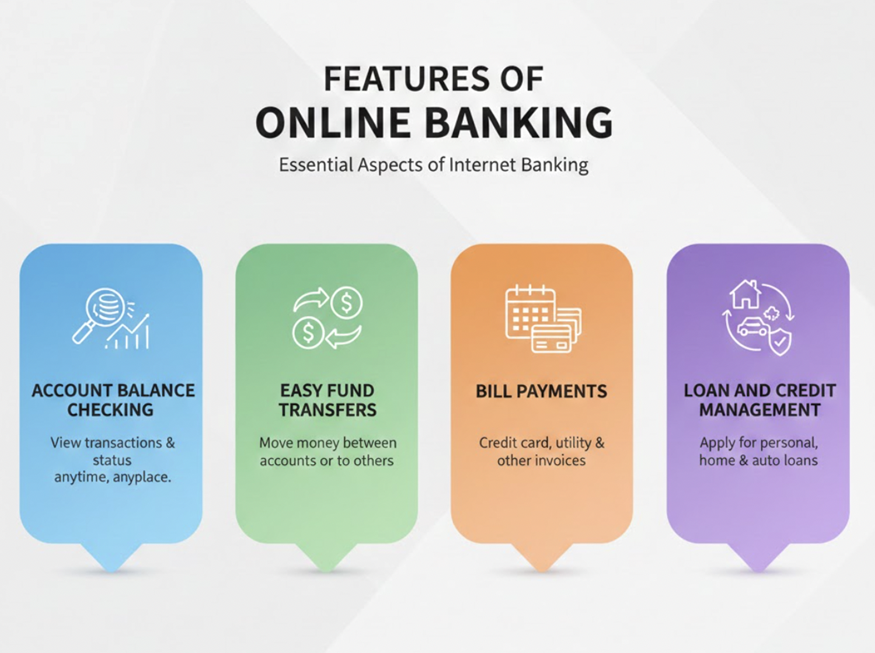
The following are some essential aspects of internet banking:
- Account Balance Checking: This feature lets you see past transactions and account status at any time and from any place.
- Easy Fund Transfers: Online banking is an easy way to move money between your own accounts or send money to others
- Bill Payments: Pay your bills in a few easy steps, including credit card, utility, and other invoices.
- Loan and Credit Management: The online banking site allows you to apply for personal, house, and auto loans.
Also Read: Net Banking vs UPI: Which is Better for Paying Personal Loan EMIs?
How Does Online Banking Work?
The working of online banking is summarised below:
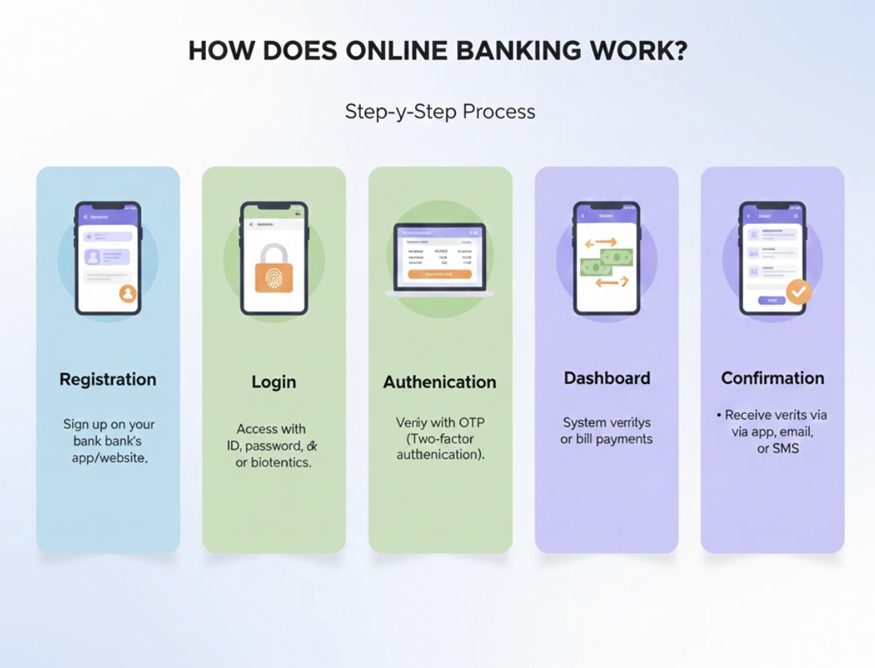
- Registration: Sign up on your respective bank's official website or app using your account details.
- Login: Access your account using your unique ID, password, or biometrics (fingerprint/face ID).
- Authentication: Banks use several security measures, such as one-time passwords (OTPs) sent to your phone for extra protection (two-factor authentication).
- Dashboard: Once logged in, you can see your account summary and available services.
- Transaction: You can then initiate tasks like transfers or bill payments, enter details, and confirm.
- Processing: The bank's system verifies and processes the request, debiting your account and crediting the recipient.
- Confirmation: You receive alerts via app, email, or SMS.
Key Concerns and Security Measures
- Malware & Ransomware: Includes malicious software that steals data or locks systems.
- Public Wi-Fi Vulnerabilities: Unsecured networks allow hackers to intercept data or redirect to fake sites.
- Insider Threats: Malicious or negligent employees compromising data.
Security Measures for Users
- Multi-Factor Authentication (MFA): Enable 2FA/MFA for an extra layer of security (e.g., a code sent to your phone).
- Secure Connections: Always type the bank's URL directly and avoid links in emails.
- Avoid Public Wi-Fi: Make sure to use cellular data or a VPN for banking on the go.
- Regular Monitoring: Check account activity frequently for unauthorised transactions.
Main Differences Between Online Banking and Mobile Banking
The primary distinctions between online and mobile banking are summarised as follows:
| Feature | Online Banking | Mobile Banking |
|---|---|---|
| Device | Accessible on Desktop/Laptop | Accessible on Smartphone/Tablet |
| User Experience | Data-rich interface | Simple |
| Best For | Account management, reports | Daily payments, UPI, and quick transfers |
| Login | Through password, OTP | Through PIN, OTP, biometrics |
| Portability | Limited | High (anytime, anywhere) |
Overall, online banking is best for structured financial management, whereas mobile banking is specifically designed for speed and convenience.
How to Set Up Online Banking With Hero FinCorp
Here is a step-by-step process of using Hero FinCorp to set up internet banking
Step 1: Download the Hero FinCorp App
Install the Hero FinCorp Customer App from the Google Play Store or Apple App Store. This is the primary platform for online account access.
Step 2: Use Your Mobile Number to Register
After that, open the app and input the cell phone number associated with your loan account.
Step 3: Make Your Account Active
Post verification, complete basic profile details. Your loan account will then automatically appear on the dashboard if your mobile number is linked correctly.
Step 4: Access Online Banking Features
After activation, you can:
- Check the loan balance and EMI schedule
- Download loan statements
- Make online payments
- Raise service requests or queries
Hero FinCorp Customer Support
For assistance with online banking setup or usage, you can contact the toll-free number (1800-102-4145) or connect at customer.care@HeroFinCorp.com.
The steps mentioned above make setting up online banking with Hero FinCorp quick, secure, and designed for easy loan management.
Also Read: How to Pay Hero FinCorp Loan EMI Online?
Simplify Your Finances Using Online Banking
With real-time tracking, automated tools, and 24/7 access to account management, online banking is a powerful way to simplify your finances. Users can manage their money more effectively and with greater confidence thanks to these features.
Whether you are using online banking to pay EMIs or for other purposes, what matters most is consistency. That's why Hero FinCorp makes repayment simple and secure, whether you prefer UPI or online banking.
Make the right choice here to secure your financial peace of mind. Apply for a personal loan with Hero Fincorp in minutes and start paying EMIs in a stress-free way!
Frequently Asked Questions
Can I use online banking for my NBFC loan account?
Yes, most Non-Banking Financial Companies (NBFCs) now offer mobile apps or web portals to manage your loan account online.
Are there fees associated with online banking transactions?
Yes, online banking transactions can have fees, but many basic personal transfers (like UPI in India) are free.
If I fail to remember my online banking password, what should I do?
If you forget your online banking password, use the "Forgot Password" option on your bank or NBFC's website/app. Verify your identity with your customer ID or registered mobile number, then reset your password using the OTP sent to you.