How to Check UPI Transaction Status?
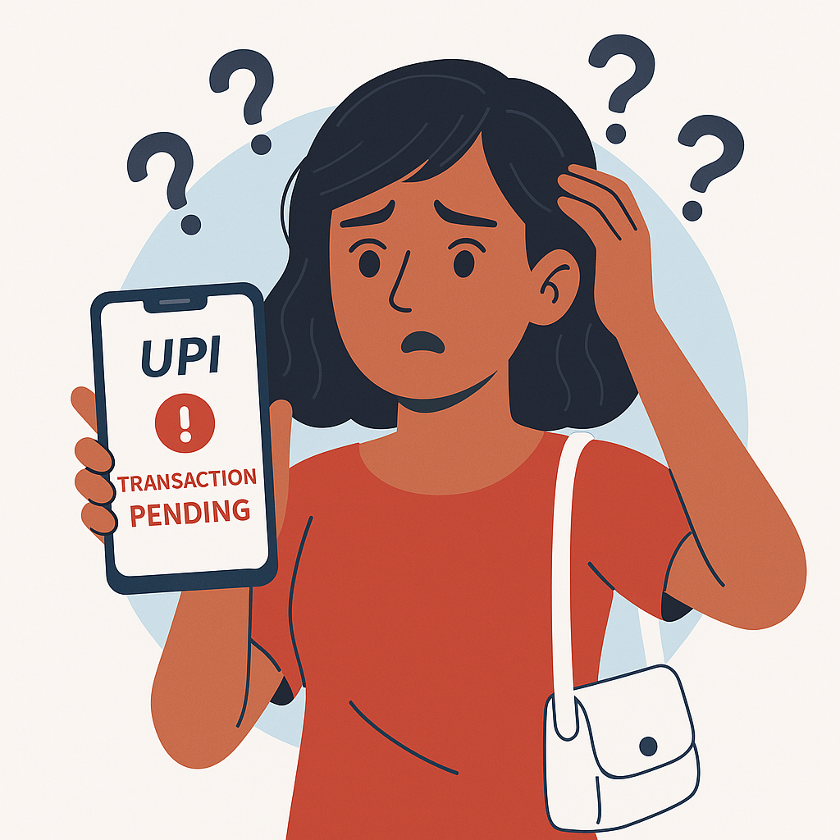
Meera paid her electricity bill over UPI and waited for the “Payment Successful” tick. But the screen froze, the money was deducted, and the status showed… nothing. Panic? Possibly. But she didn’t need to lose sleep. A quick transaction ID status check online could tell her exactly what happened.
If you’ve been stuck in the same awkward limbo, this guide helps you take charge. Here’s how to look up, verify, and track UPI transaction status without stress.
What Is a UPI Transaction ID and Why Is It Important?
Every UPI payment has a corresponding Transaction ID or Reference Number. This ID is unique, like a digital fingerprint for your transaction. It helps banks and UPI apps track, verify, and resolve payment issues.
You’ll need this UPI transaction ID in situations such as -
- Payment disputes
- Refund requests
- Merchant escalations
- Verifying if the money reached the right account
Tracking your transaction status matters because -
- Helps identify failed or pending payments
- Ensures refund timelines are monitored
- Confirms successful transfers
- Reduces chances of fraud
- Offers peace of mind during delayed transactions
How to Check UPI Transaction Status Online
You can check UPI transaction status through your UPI app, bank’s online banking system, or SMS alerts. If you’re unsure how to check UPI transaction status, the steps below will guide you easily.
Step-by-step Process to Check Status in UPI Apps
If you’re using a UPI app, the process for UPI transaction ID status check online is as follows -
- Open your UPI app (Google Pay, PhonePe, Paytm, BHIM).
- Head over to Transaction History or Activity.
- Choose the specific payment you want to check.
- View details such as Transaction ID, status, and time-stamp.
- If the payment is pending or failed, the app will show the expected resolution time.
- Use the Raise Dispute or Report Issue option if needed.
Also Read: UPI Not Working? Here’s How to Fix It Fast
How to Check Transaction Status Using Your Bank’s Online Banking
For a transaction ID status check online using your bank’s online banking, follow the steps below -
- Log in to your bank’s net banking portal or mobile banking app.
- Navigate to the UPI Transactions or Fund Transfers section.
- Enter the date range or filter by UPI transfers.
- Select the transaction to view its ID, status, and reference details.
- Download the statement if you need proof for dispute resolution.
Also Read: What is a UTR Number, Example & How to Check It?
How SMS Alerts Help Track UPI Transactions
Your bank sends SMS alerts after every debit or credit. These messages often contain the Transaction ID, payment status, and amount details. Such SMS alerts are useful in case of app crashes or lags and serve as proof during disputes.
Understanding Different UPI Transaction Statuses
Knowing how to interpret UPI statuses helps when you check UPI transaction status online. Here’s a table to enlighten you -
| Status | What It Means | Recommended Action |
|---|---|---|
| Success | Payment went through | No action needed |
| Pending | The bank is still processing | Wait 30–60 minutes, recheck later |
| Failed | Payment didn’t go through | Money usually auto-refunds within hours |
| Reversed | Amount returned to your account | Check your balance/SMS notifications |
| Expired | Transaction timed out | Retry the payment |
Also Read: How to Get Phone Number from UPI ID?
Security Tips When Checking UPI Transaction Status Online
Some steps that you can take to stay safe while checking UPI transaction status include -
- Use official apps or bank portals only.
- Avoid unverified links or third-party status check websites.
- Never share your UPI PIN or OTP with anyone.
- Keep transaction details private.
- Enable 2FA wherever possible.
- Report suspicious activity immediately.
Stay on Top of Your UPI Payments
Regularly checking your UPI payment status is a smart move. It keeps you informed, avoids double payments, and catches errors early. You gain confidence as your digital transactions become safe and predictable.
Whether you’re transacting online or managing your loan account, staying alert helps you stay protected. Hero FinCorp supports secure and seamless digital payments with robust verification systems and smooth user experiences.
So, if you're in urgent need of funds, apply for a personal loan at Hero FinCorp today and pay timely EMIs effortlessly via UPI.
Conclusion
Checking your UPI transaction details helps you stay informed about successful, pending, or failed payments. By using official UPI apps, bank portals, and reference numbers, you can track payments safely and resolve issues quickly. Regular monitoring also reduces payment errors, improves security, and gives you better control over your everyday digital transactions.
Frequently Asked Questions
How can I find the transaction ID for my UPI payment?
You can check it inside your UPI app under Transaction History or from your bank’s SMS alerts.
What to do if my UPI payment shows pending for more than 24 hours?
Pending payments are usually resolved automatically. Raise a dispute through your UPI app or contact your bank for payments pending for more than 24 hours.
Can I track a UPI payment without a transaction ID?
You may still track it using date, amount, and receiver details, but the Transaction ID speeds up verification.
How long does a reversed UPI transaction take to reflect?
Most reversals appear within minutes, but in some cases may take up to 3 working days.
Where can I lodge an official complaint if my UPI app support fails to fix a transaction status issue?
You can file complaints through your bank, the NPCI UPI dispute portal, or RBI’s Integrated Ombudsman Scheme platform.
Is the 12-digit UPI Reference Number the same as the RRN?
Yes, the 12-digit UPI Reference Number is commonly called the RRN and helps track and verify transactions.
Can a merchant challenge a 'Failed' or 'Pending' UPI transaction status?
Yes, merchants can raise disputes for failed or pending UPI transactions using transaction references and settlement verification records.
Disclaimer: The information provided in this blog post is intended for informational purposes only. The content is based on research and opinions available at the time of writing. While we strive to ensure accuracy, we do not claim to be exhaustive or definitive. Readers are advised to independently verify any details mentioned here, such as specifications, features, and availability, before making any decisions. Hero FinCorp does not take responsibility for any discrepancies, inaccuracies, or changes that may occur after the publication of this blog. The choice to rely on the information presented herein is at the reader's discretion, and we recommend consulting official sources and experts for the most up-to-date and accurate information about the featured products.