How To Make UPI ID Without Bank Account
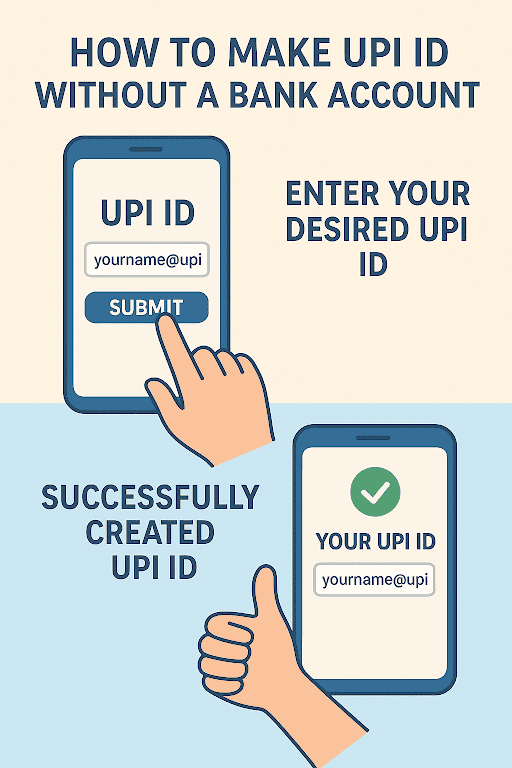
Traditionally, a UPI transaction in India requires users to have a bank account associated with a UPI app. With a wallet-based UPI service linked to your bank account, you can quickly generate a UPI ID and enjoy seamless money transfers, mobile recharges, bill payments, and more.
However, do you know that now you can also use UPI without a bank account via services such as Paytm wallet, PhonePe wallet, and more? Yes, you heard it right.
In this post, we will explore more about how to make a UPI ID without a bank account, the methods available, and how they work.
Can You Create a UPI ID Without a Bank Account?
Yes. You can easily create a UPI without a bank account using a UPI-enabled wallet.
Some key facts to keep in mind here are -
- With UPI accounting for 85% of all digital transactions in India, UPI without a bank is a useful way to make payments.
- RBI and the NPCI are the governing bodies for digital transactions and provide mechanisms that enable financial inclusion without traditional bank accounts.
- The technical infrastructure accommodates non-bank-linked UPI IDs by linking the Virtual Payment Address (VPA) to a digital wallet rather than a bank account.
- There are several places, especially among unbanked or underbanked segments, such as street vendors and freelancers, where it is especially helpful.
- It requires no complex setup and is cost-effective, with no setup charges or account fees.
Step-by-Step Guide: How to Create a UPI ID Without a Bank Account
Wondering how to make UPI without a bank account? Read on to know the stepwise procedure to create a UPI ID without a bank account -
Choose a Digital App with UPI Wallet Features
Pick and download an app from the Google Play Store (Android users) or Apple App Store (iPhone users) that supports UPI without a bank account. Paytm, PhonePe wallet, and Bajaj Pay are examples of such apps.
Register with a Verified Mobile Number and Complete KYC
Register using your mobile number and verify the same. Give basic KYC details based on the app and its regulations.
Set up the Pre-Paid Wallet Inside the App
Create a prepaid wallet within the app so that you can add funds to this wallet to make payments.
Generate a Wallet-Linked UPI ID
Create your UPI ID in the UPI section of the app, which will be linked to your wallet.
Add Money to the Wallet
Load your wallet using either a debit card, a credit card, or any other available method.
Set a Secure UPI PIN to Authorise Transactions
Create a secure UPI PIN that you will require to authorise all UPI transactions.
This completes the process of setting up UPI without a bank account.
Top Wallet Apps to Create UPI Without a Bank Account in India
 There are several apps that you can use to create a UPI wallet without a bank account in India. Among these are-
1. Paytm Wallet
Using a Paytm wallet is an easy and convenient way to make transactions, such as payments and QR code scanning.
- How to register: Download the app, register, and complete KYC
- Transaction limits: ₹1 lakh (up to 20 transactions)
- Top-up methods: Credit/debit card, net banking, UPI
- Usability: User-friendly interface with extensive merchant network, bill payments and more
2. Bajaj Pay Wallet
Bajaj Pay's wallet-based UPI ID option enables users to perform UPI transactions without a bank account.
- How to register: Download the app, register, and complete KYC
- Transaction limits: ₹1 lakh per transaction/day
- Top-up methods: Credit/debit card, net banking, UPI
- Usability: Integrated within the Bajaj app for seamless financial services, payments, and rewards
3. Google Pay (wallet option)
Google Pay allows the linking of the wallet option, which enables you to use UPI to pay merchants directly from your card balance.
- Registration: Download the app, link your bank account via UPI
- Transaction limits: UPI: ₹1 lakh or upto 20 transactions
- Wallet top-up methods: Not applicable (money stays in bank)
- Usability: Known for simple, fast, and reliable UPI payments with a clean interface.
Benefits of Using UPI Without a Bank Account
Using UPI without a bank account allows for a quick and easy setup. Among other benefits are -
Financial Inclusion for Unbanked Individuals
Using UPI without a bank account allows individuals who may not have access to a traditional bank account to participate in digital payments.
Quick Set-Up and Easy Registration
It is quite easy to set up and register by simply creating a UPI ID
No Need for Paperwork or Bank Formalities
With a UPI wallet without a bank account, you also get the benefit of faster onboarding. There is no need for lengthy bank formalities or paperwork to get started.
Instant Digital Payments Capability
UPI ID without a bank account enables instant digital payment capabilities for day-to-day needs.
Suitable for Daily Small Transactions and Bill Payments
It allows you to do daily transactions such as bill payments and mobile recharges quickly.
Leverage UPI Without a Bank Account
Making a UPI ID without a bank account is a smart solution for many users. Although it offers convenient access to UPI payments, there are certain restrictions that you need to be aware of. It helps you decide if this option suits your unique needs.
Alternatively, if you want to make payments without touching your savings or UPI, go for a personal loan from Hero FinCorp. The app is a convenient tool if you are looking for quick access to personal loans without a complex process.
With Hero FinCorp, you can enjoy seamless and fast disbursal along with flexible repayment options tailored to your needs.
Frequently Asked Questions
1. Can I receive money on UPI without a bank account?
Yes, you can receive money on UPI without a bank account using UPI wallets.
2. Are there any charges for creating or using wallet-based UPI IDs?
No, there are no charges for creating or using wallet-based UPI IDs.
3. How do I add money to a UPI wallet without a bank account?
To add money to a UPI wallet without a bank account, you can use a prepaid payment instrument (PPI) app such as Paytm or PhonePe.
4. Can I withdraw funds from my wallet-based UPI ID to cash?
Yes, you can withdraw funds from your wallet-based UPI ID to cash via ATM.
5. Is using a UPI wallet without a bank account safe?
Yes, using a UPI wallet without a bank account is generally safe.
Disclaimer: The information provided in this blog post is intended for informational purposes only. The content is based on research and opinions available at the time of writing. While we strive to ensure accuracy, we do not claim to be exhaustive or definitive. Readers are advised to independently verify any details mentioned here, such as specifications, features, and availability, before making any decisions. Hero FinCorp does not take responsibility for any discrepancies, inaccuracies, or changes that may occur after the publication of this blog. The choice to rely on the information presented herein is at the reader's discretion, and we recommend consulting official sources and experts for the most up-to-date and accurate information about the featured products.