Using Two Bank Accounts with One Mobile Number for UPI

- What Does It Mean to Have Two Bank Accounts with the Same Mobile Number for UPI?
- Is It Possible to Link Two Bank Accounts With the Same Mobile Number for UPI?
- How to Add Another Bank Account with the Same Mobile Number in PhonePe
- Benefits of Using Two Bank Accounts with the Same Mobile Number for UPI Transactions
- Is Having Two Bank Accounts Linked to One Mobile Number for UPI Worth It?
- Steps to Link Two Bank Accounts with One Mobile Number
- Best Practices for Securely Managing Multiple UPI-Linked Accounts
- Conclusion
- Frequently Asked Questions
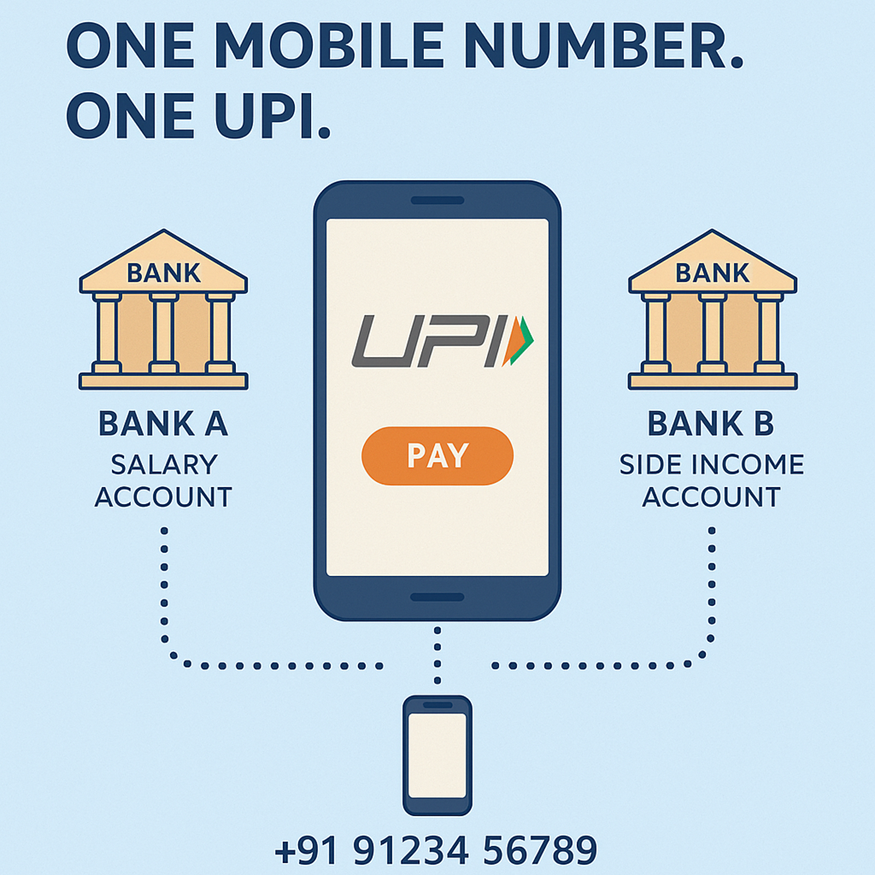
Imagine you have savings in two banks. One for salary, another for side income. Wouldn’t it be handy if you could manage both using the same UPI setup? Good news: many UPI apps today let you link multiple bank accounts under a single mobile number. That means smoother money flow and easier fund management.
In this guide, we explain what it means to have two bank accounts with the same mobile number UPI. We also guide you on how to set it up and when it makes sense.
What Does It Mean to Have Two Bank Accounts with the Same Mobile Number for UPI?
Linking two bank accounts to the same mobile number for UPI means that the same mobile number is registered with both banks. Both accounts are added to your UPI-enabled app.
UPI identifies accounts via the mobile number linked to the bank account, along with account details. As long as both accounts are KYC-verified with that number, you can manage transfers from either account within a single app.
That makes it easier: you don’t need different numbers or separate apps. Simply choose the account you wish to pay from at transaction time.
Is It Possible to Link Two Bank Accounts With the Same Mobile Number for UPI?
Yes. Many banks and UPI apps allow you to use two bank accounts with the same mobile number for UPI, as long as that number is registered with each bank account.
However, one UPI ID (VPA) maps to only one bank account. So, if Priya has two bank accounts with the same mobile number, she might see something like:
• priya@axis linked to her Axis Bank account
• priya.work@hdfc linked to her HDFC Bank account
Both VPAs use the same mobile number, but each UPI ID clearly points to a different UPI-linked bank account. This keeps transaction routing clean and reduces confusion when sending or receiving money.
Also Read - How to Create Your UPI Number Using a Mobile Banking App
How to Add Another Bank Account with the Same Mobile Number in PhonePe
If you want to manage more than one bank account in a single app, PhonePe makes it simple. Here is how to add another bank account in PhonePe using the same mobile number.
1. Open the PhonePe app and log in with your registered mobile number.
2. Tap on your profile picture or name at the top to open the account menu.
3. Select the “Bank Accounts” option under the Payment Methods section.
4. Tap on “Add New Bank Account” to start adding another account.
5. Choose your bank from the list. PhonePe will automatically fetch accounts linked to your mobile number.
6. Confirm the account you want to link and complete OTP verification.
7. Set or confirm the UPI PIN for this bank account.
You can repeat these steps to add another account in PhonePe, so that one mobile number conveniently handles multiple banks.
Benefits of Using Two Bank Accounts with the Same Mobile Number for UPI Transactions
Multiple accounts under one mobile number can offer -
• Flexibility to choose which account balance to debit
• Easy fund management without juggling different numbers or apps
• Simplified tracking of expenses by separating accounts for different uses
• Convenience of single login and one UPI app to handle all accounts
• No need to maintain multiple mobile numbers for different accounts
• Better control, as you can prioritise which account to use
Is Having Two Bank Accounts Linked to One Mobile Number for UPI Worth It?
Linking two bank accounts under the same mobile number with UPI is worth it if you value convenience, flexibility, and clear fund management. Just ensure both accounts have the same mobile number registered and are KYC-compliant. If you manage multiple income sources or need separate accounts for work and personal expenses, this setup makes managing money easier.
A well-organised digital life starts with strong financial awareness. If you value the ease of handling multiple bank accounts in one UPI setup, you’ll appreciate how effortless borrowing can be, too.
With Hero FinCorp, apply for a personal loan online and get funds quickly with transparent terms.
Explore your options today.
Steps to Link Two Bank Accounts with One Mobile Number
- Download a UPI-enabled app such as Google Pay, PhonePe, or BHIM.
- Register the number to your bank account so it is properly updated with both banks.
- Open the app and go to the “Add Bank Account” section.
- Select your first bank from the available list.
- Enter the required bank account number and verification details.
- Create a UPI PIN using your debit card credentials.
- Repeat the same process to use two separate banking relationships within the app.
Best Practices for Securely Managing Multiple UPI-Linked Accounts
Managing multiple UPI-linked accounts through one mobile number requires careful monitoring and strong security habits to reduce financial risks.
- Regularly review all linked bank accounts to identify unauthorised or suspicious transactions quickly.
- Keep your registered mobile number with your bank updated across all banks and UPI platforms.
- Never share your UPI PIN, OTP, passwords, or banking details with anyone.
- Maintain proper records of payments and transfers for easier tracking and dispute resolution.
- Use separate IDs for personal and business transactions to organise multiple UPI IDs more efficiently.
- Enable app locks, biometric authentication, and transaction alerts for additional account protection.
Conclusion
Establishing a single mobile number to your bank records makes everyday money management easier and more organised. It helps users handle salary, savings, and business expenses without switching between different apps or numbers. As long as proper security practices are followed, this setup offers a simple and convenient way to manage digital payments smoothly.
Frequently Asked Questions
Can I use the same mobile number for UPI on two different bank accounts?
Yes. As long as the mobile number is registered with both bank accounts, you can link both in a UPI app.
How many bank accounts can be linked to one mobile number?
There’s no strict public limit. You can add multiple accounts (from different banks) to a single UPI app.
Can I add two accounts from the same bank on UPI with one mobile number?
It depends on the bank policy and account type. But most banks allow adding multiple accounts (different types or joint/personal) as long as the same mobile number is registered.
What happens if my mobile number is linked to multiple bank accounts on UPI apps?
You will see all linked accounts under “Bank Accounts.” When making payments, you choose which account to debit. UPI will route accordingly.
Can I unlink a specific bank account from my UPI app without deleting the app entirely?
Yes, most UPI apps allow users to remove specific linked accounts individually without uninstalling or resetting the entire application.
What happens to my UPI configurations if my linked mobile number becomes inactive or expires?
Your UPI services may stop functioning until the mobile number is reactivated or updated with your bank and UPI application.
Why is my UPI application failing to fetch my secondary bank account despite using the same mobile number?
This usually happens due to incorrect bank registration, SIM mismatch, inactive account status, or temporary bank server verification issues.
Can I link two separate accounts belonging to the exact same bank using one mobile number?
Yes, many UPI-enabled banks allow multiple accounts under the same mobile number to be linked within one UPI application.
Disclaimer: The information provided in this blog post is intended for informational purposes only. The content is based on research and opinions available at the time of writing. While we strive to ensure accuracy, we do not claim to be exhaustive or definitive. Readers are advised to independently verify any details mentioned here, such as specifications, features, and availability, before making any decisions. Hero FinCorp does not take responsibility for any discrepancies, inaccuracies, or changes that may occur after the publication of this blog. The choice to rely on the information presented herein is at the reader's discretion, and we recommend consulting official sources and experts for the most up-to-date and accurate information about the featured products.