What is NACH Mandate? Meaning, Full Form & How It Works
Last week, Neha mentioned something she had almost forgotten about. Her loan EMI went through on time again, without any reminders or follow-ups. The payment happened quietly in the background, exactly as it does every month.
Around the same time, her friend Rohit faced a very different moment. He missed an insurance payment and realised it only after a penalty appeared. The payment slipped his mind completely, even though he uses online banking every day.
What bothered him was not the penalty itself, but the question behind it. Why do some payments run smoothly every month, while others suddenly fail? The answer usually lies in how recurring payments are set up behind the scenes. Let us understand this in detail.
What is NACH Mandate? Full Form and Meaning
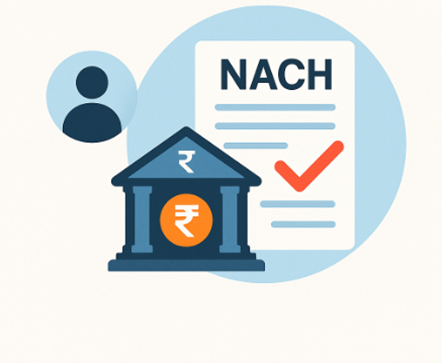
A NACH mandate refers to a digital approval that allows recurring debits from your bank account. The full form of NACH is National Automated Clearing House, a secure framework developed by NPCI.
Banks use this mandate to process EMIs, utility bills, insurance premiums, and other fixed payments on scheduled dates. The process creates a predictable routine for users who want automated monthly payments.
Unlike older systems, NACH delivers faster clearing and fewer manual touchpoints. Delays are reduced because each transaction follows a set cycle supported by strong verification. Multi-level checks ensure safe transfers, even when volumes are high. This reliability makes NACH a trusted system for recurring payments across India.
Key Features
- Supports recurring EMIs, bill payments, and subscription charges through automatic debits
- Uses secure NPCI infrastructure that verifies user identity before activation
- Processes transactions faster than traditional clearing methods and reduces delays
- Offers a simple digital setup with verified online forms and fewer manual steps
- Handles high-volume monthly payments with accuracy across multiple banks
How Does NACH Mandate Work?
You may be wondering how the NACH mandate works because the process seems technical. But it is simple.
A mandate allows your bank to debit fixed amounts automatically on agreed dates. You approve the debit once, and the system handles everything after activation.
NACH mandate registration is available through online banking or partner platforms. You submit your details digitally. Your bank verifies your information and activates the mandate once your account is confirmed. Once active, the system deducts payments consistently on the scheduled day.
Also Read: NACH Mandate Charges Explained
How to Register for a NACH Mandate
- Choose the service that requires recurring payments, such as EMIs or premiums.
- Open the NACH mandate registration page provided by the service provider.
- Enter your bank details and verify your identity through OTP authentication.
- Review the amount, frequency, and validity period carefully before approval.
- The bank verifies your request and activates the mandate after security checks.
- Payments then get debited automatically on every upcoming due date.
Benefits of Registering a NACH Mandate
A NACH Mandate offers practical advantages for anyone managing fixed payments. Regular deductions bring discipline to monthly finances and reduce the risk of missed deadlines. EMIs move smoothly without constant tracking, while predictable debits make budgeting across the month far easier.
Benefits of the NACH Mandate
- Ensures timely payments every month, helping you maintain a consistent and stress-free financial schedule
- Helps you track recurring expenses easily, improving your monthly financial planning
- Removes the need for physical paperwork, making the process fully digital and convenient
Benefits of the NACH Mandate
Ensures timely payments every month, helping you maintain a consistent and stress-free financial schedule
Helps you track recurring expenses easily, improving your monthly financial planning
Removes the need for physical paperwork, making the process fully digital and convenient
How to Check NACH Mandate Status?
Banks offer simple digital tools that display approval, pending requests, or expiry. It helps users stay informed about every mandate linked to their account.
Here's how to check your NACH Mandate status -
- Log in to your bank’s net banking platform or mobile app.
- Visit the payments or mandate management section.
- Select the list of active mandates linked to your account.
- Check the displayed status for accurate updates.
How to Cancel or Modify a NACH Mandate?
Users often need to cancel or modify the NACH Mandate when financial plans change. Banks allow safe digital cancellation following RBI and NPCI guidelines. This ensures the mandate stops securely without leaving room for unauthorised debits. You can also modify dates or amounts if your payment structure changes.
Here's how to cancel or modify your NACH Mandate
- Log in to your online banking account using secure authentication.
- Open the NACH mandate section under payments or services.
- Choose the mandate you want to cancel or modify.
- Review the details carefully to avoid incorrect changes.
- Confirm the request with OTP verification to complete the action.
A cancelled mandate stops all future debits immediately after approval. A modified mandate may take time to activate, depending on the bank's verification process. Make changes early to avoid issues around upcoming debit dates.
Also Read: How to Cancel UPI Mandate: Step-by-Step Guide
Manage Payments Easily with a Secure Digital Mandate
A NACH Mandate brings order to recurring payments and removes the need for constant reminders. When debits happen on time each month, managing EMIs and regular expenses becomes far less stressful and more predictable.
Prefer payments that run on time, every time? Choose a Hero FinCorp personal loan with simple digital processing and hassle-free NACH-enabled EMIs.
Apply here for a fully digital, paperless process today!
Frequently Asked Questions
How long does it take for NACH Mandate activation?
Activation usually takes one to three working days after verification. Banks complete their checks quickly and confirm the mandate through digital channels.
Can multiple NACH mandates be linked to one bank account?
Yes, you can link several mandates to one account. Each mandate handles a specific payment, and banks display them separately for clarity.
What happens if my account does not have enough balance on the debit date?
The debit attempt fails when the balance is insufficient. You may face penalties depending on the service provider’s rules.
Is it safe to share bank details for setting up an NACH mandate?
Yes, it is safe because banks use secure verification through NPCI guidelines. Your mandate activates only after identity and account confirmation.
How do I update bank account details linked to my mandate?
You can update details by modifying the existing mandate through online banking. Banks may require fresh verification to approve the changes.
Can I switch from ECS to NACH for recurring payments?
Yes, most banks support a smooth shift from ECS to NACH. It offers faster processing and stronger digital tracking for recurring debits.